


 Automation
Every new customer lands in your email list. Automatically.
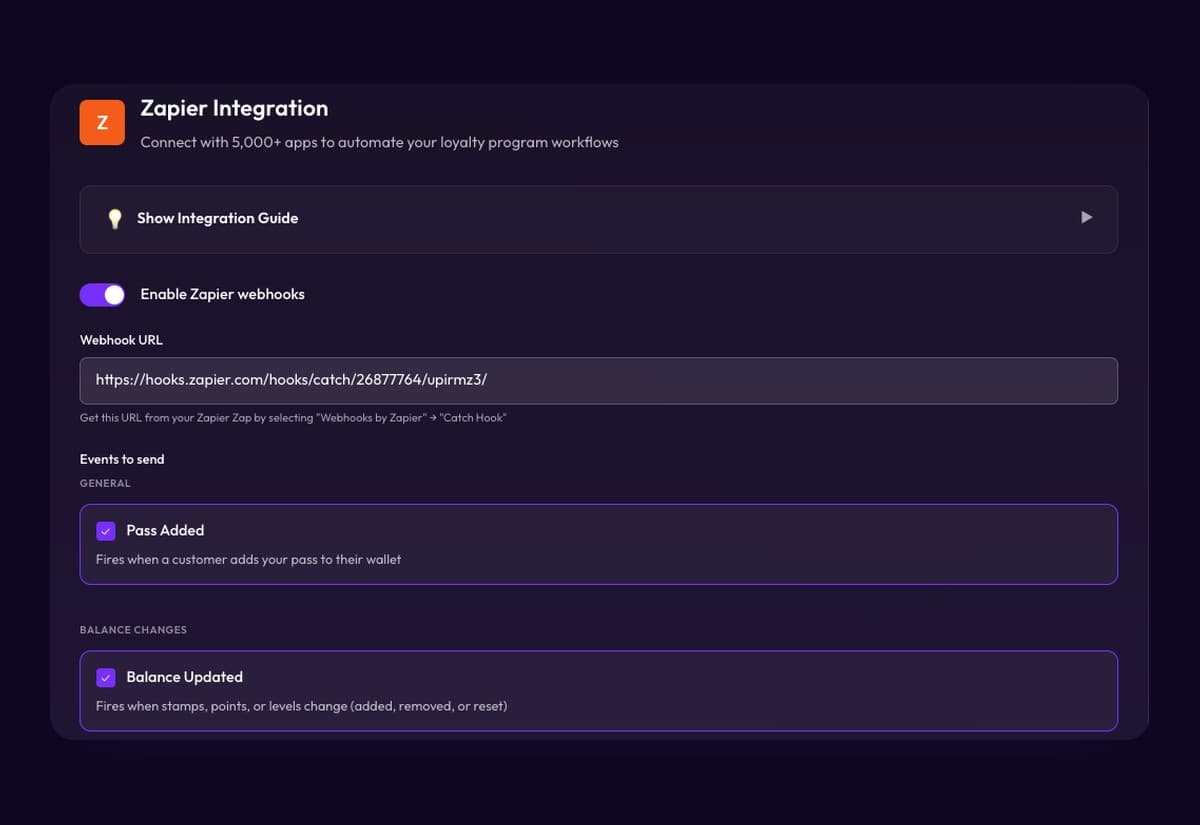
Passtastic works with Zapier. Each loyalty card sends its events to a Zapier webhook, and from there to Mailchimp, Brevo, Google Sheets, or any app Zapier connects to. No code: paste one URL.
Already a customer? Connect Zapier opens your dashboard.







What happens without you.
New customer, new subscriber
When someone adds your card to their wallet, their name, email and phone go to your email list or CRM.
Reward earned, thank-you sent
When a card is full, send a thank-you email, ping your team in Slack, or add a row to a sheet.
Card redeemed, record updated
When a reward is used, your CRM or spreadsheet knows. Every event carries the customer and the card.
What you can set up.
Every card event can start something in another tool. Three ways merchants use it:
Welcome them to the stamp card
When a customer turns a coupon into a loyalty card, send an email that shows how to collect stamps and what the reward is.
Remind them before they forget
When a card is full, send an email or a text that says the reward is ready, with your opening hours.
Keep a live customer sheet
Every new customer and every stamp or point lands as a row in Google Sheets, so you see activity without exporting anything.
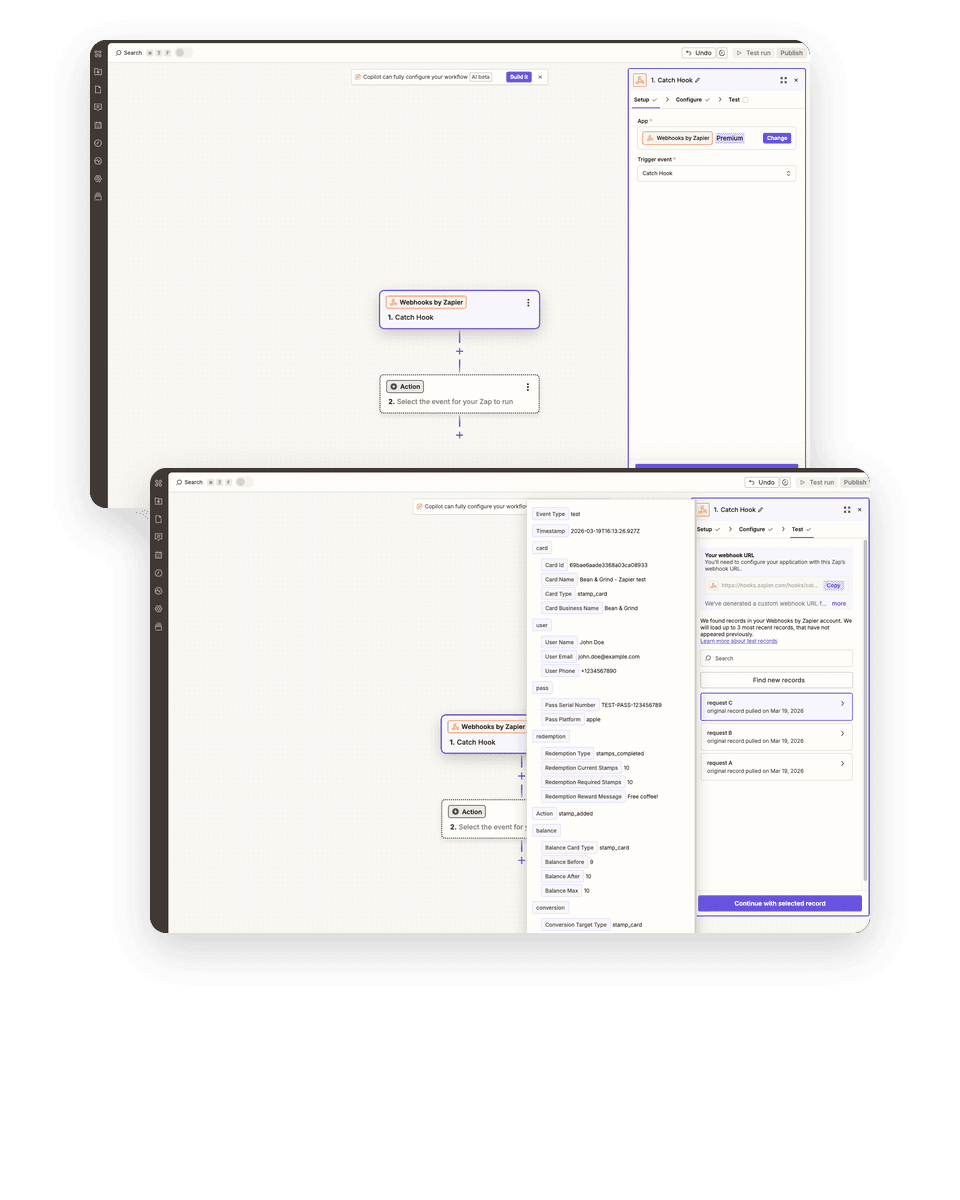
Set up in 3 steps.
Create a Zap with a webhook trigger
In Zapier, start a Zap with Webhooks by Zapier, Catch Hook. Copy the URL.
Paste it into Passtastic
Open the card's Zapier settings, paste the URL, pick the events.
Add the action
Mailchimp, Brevo, Google Sheets, Gmail, Slack, or your CRM. Turn the Zap on.
The concerns we hear most.
Is it something we set up in our email, or on our laptop, or is it an app? What is it, concretely?
It is a link between two accounts. You paste one URL from Zapier into Passtastic, and Zapier does the rest in the browser. Nothing to install.
Does it cost extra?
On the Passtastic side it is included on Multi-Location and Groups & Brands. On the Zapier side, webhooks are a premium feature, so you need a paid Zapier plan.
Do I need somebody to do the integration?
No. The guide walks through it screen by screen in about ten minutes.
Is the list updated automatically?
Yes. Every new customer is sent the moment they add the card. No exports, no CSV.
Some emails didn't send.
Usually the Zap was paused or the test step was skipped. The guide has a test step that shows the event arriving before you turn the Zap on.
Zapier and Passtastic, answered.
Which events can Passtastic send to Zapier?+
Pass added, Balance updated, Ready to redeem, Card redeemed, Coupon converted, Member uses a benefit, and Customer subscribes or unsubscribes. Every event also says whether the customer agreed to your marketing emails and texts.
Can it reach WhatsApp?+
Only through apps Zapier connects to. Passtastic itself sends push notifications to the wallet card, not WhatsApp messages.
Can each card have its own Zap?+
Yes. The webhook URL and the events are set per card.
Zapier or Make?+
Same events, same plans on our side. Zapier needs a paid Zapier plan for webhooks; Make's free plan includes them. Pick the tool you already use.
Related integrations.

Make
The same events into Make scenarios. For teams that already build in Make, or run high volumes.

Square POS
Customers earn when your staff add them to the sale in Square; rewards live on your card and show up in Square by name. Works on plain Square, no loyalty add-on.
Web sign-up
Wallet buttons or a full form on WordPress, Squarespace, Wix, Shopify, or any site that accepts HTML.


Your customer list,
filled in for you.
Start your free 14-day trial and connect your email tool in about ten minutes.
Square is a trademark of Block, Inc. Zapier, Make, Holded, Lightspeed, Odoo and IdoSell are trademarks of their respective owners. Passtastic is not affiliated with them unless stated.