Free Customer Database Software | Passtastic
Passtastic
Explore
Product
Pricing
Use Cases
Customer Stories
Help
No account yet? Sign up free
Customers

The customer database that fills itself

Every other customer database makes you type people in. Nobody behind a counter has time for that, so it never happens. Yours works the other way round: when someone saves your loyalty card, they're already in the list — with their name, their visits, and how close they are to their next reward.

Bring the list you already have. It stays current without you touching it.

Free to start · 14 days · no card needed
JVO logoWoongelofelijk Van Donzel logoThe Picturedrome logoKia Cai logoTasty Urban logoSpin With Yas logoTune In & Figa Garden logoFuchsia Nails logoLorien Bakehouse logoRosé Chile logo

You never type a customer in

The loyalty card does the data entry. Someone scans your QR code, saves the card to Apple Wallet or Google Wallet, and that's a customer record — created by them, not by you.

They enrol themselves

One scan at the counter, on a flyer, or from a link you post. They fill in whatever you asked for, and they're in.

It updates itself

Every visit, every stamp, every reward lands on the record without anyone opening a spreadsheet.

It doesn't start empty

Bring the customers you already have — with their stamp or point balances — so nobody starts back at zero.

Client management that fits behind the counter

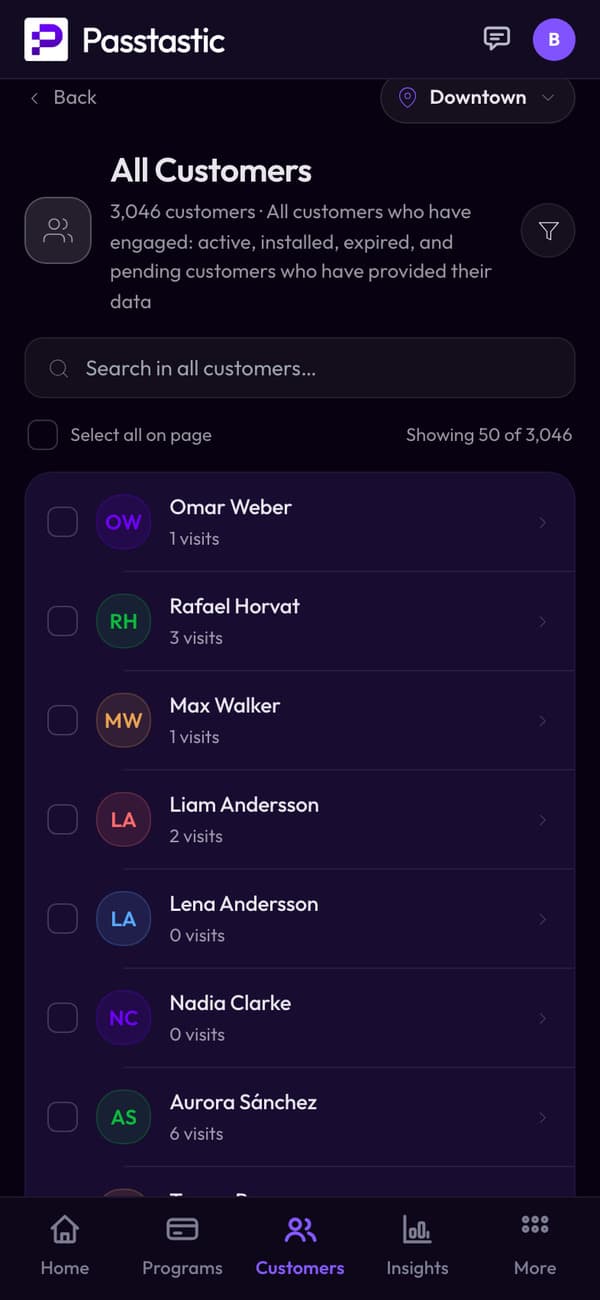
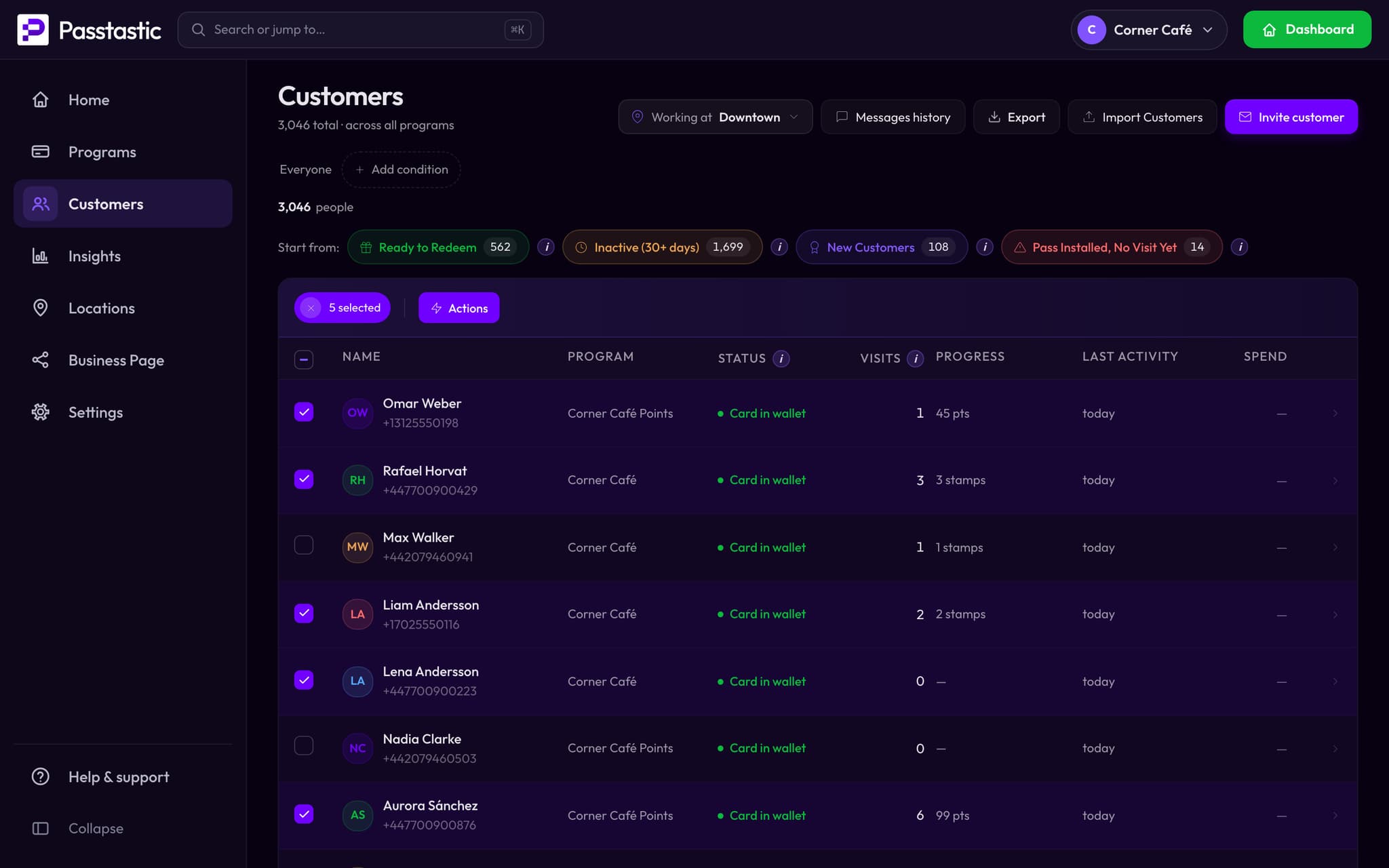
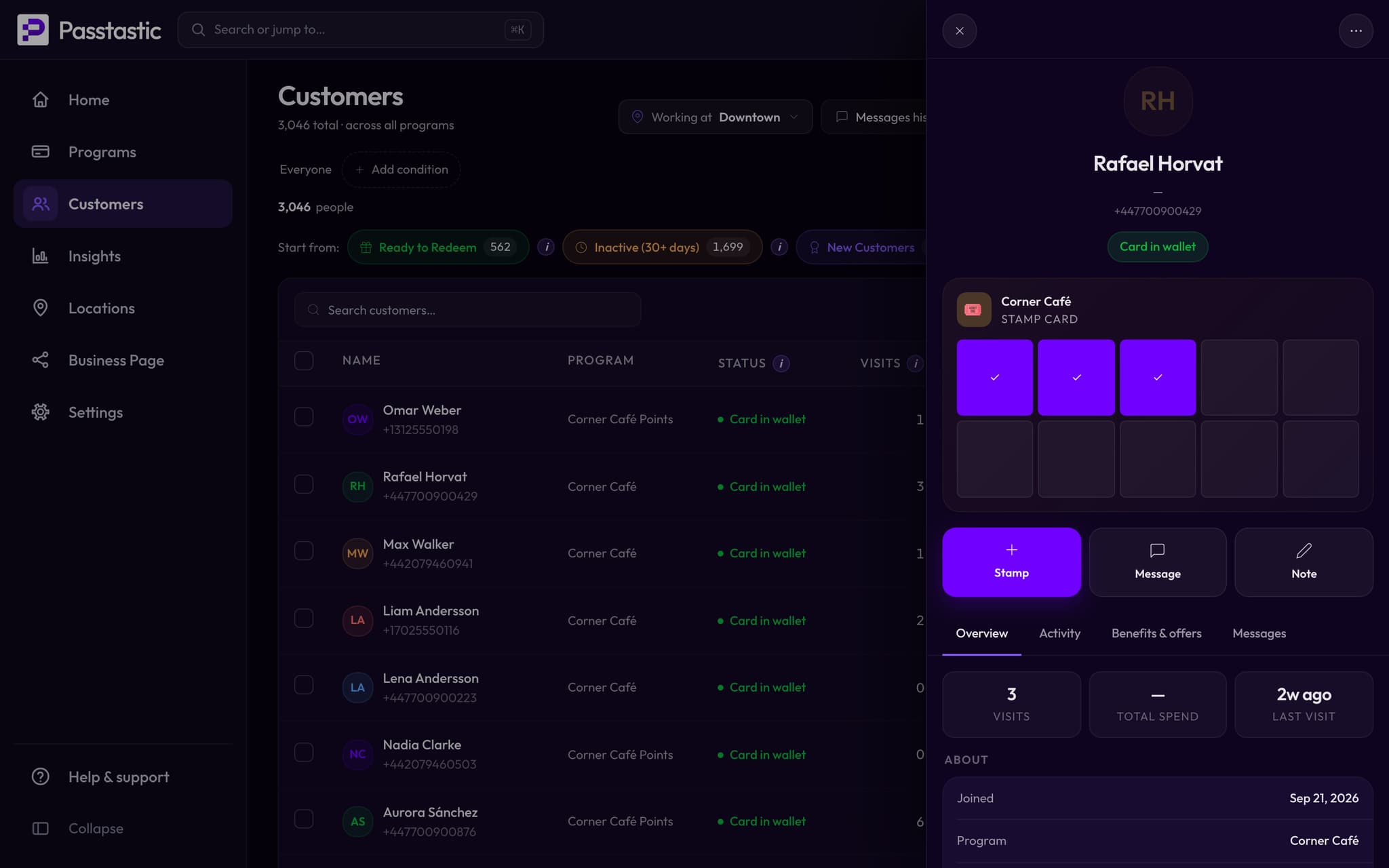
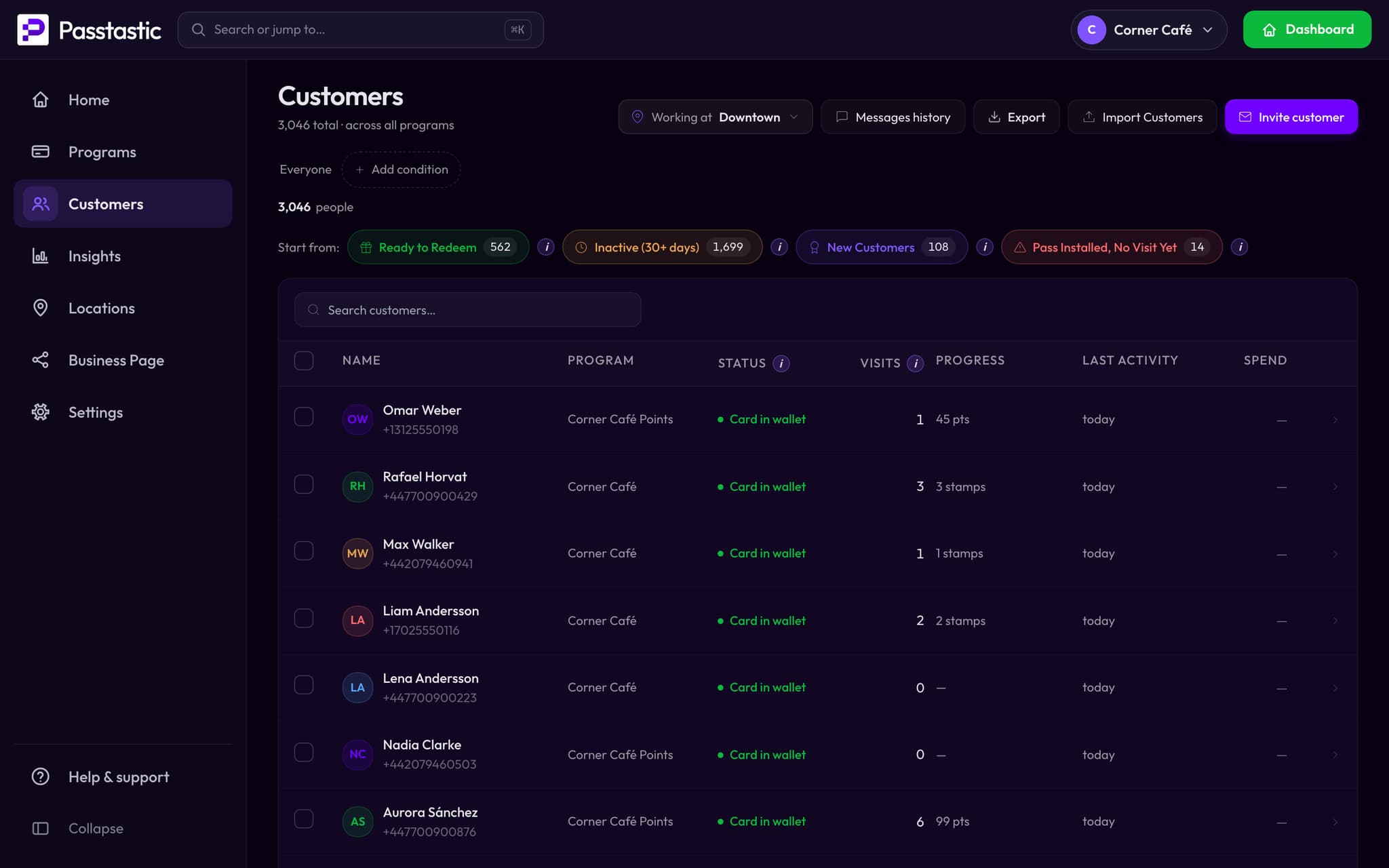
Someone's standing in front of you. You've got about four seconds. Search by name, email or phone and their whole history is there — visits, balance, what they last redeemed, notes you left yourself.

  • Search across every program at once
  • Filter by status, program, location or activity
  • Open anyone to see visits, messages, offers and notes

Customer retention, without the guesswork

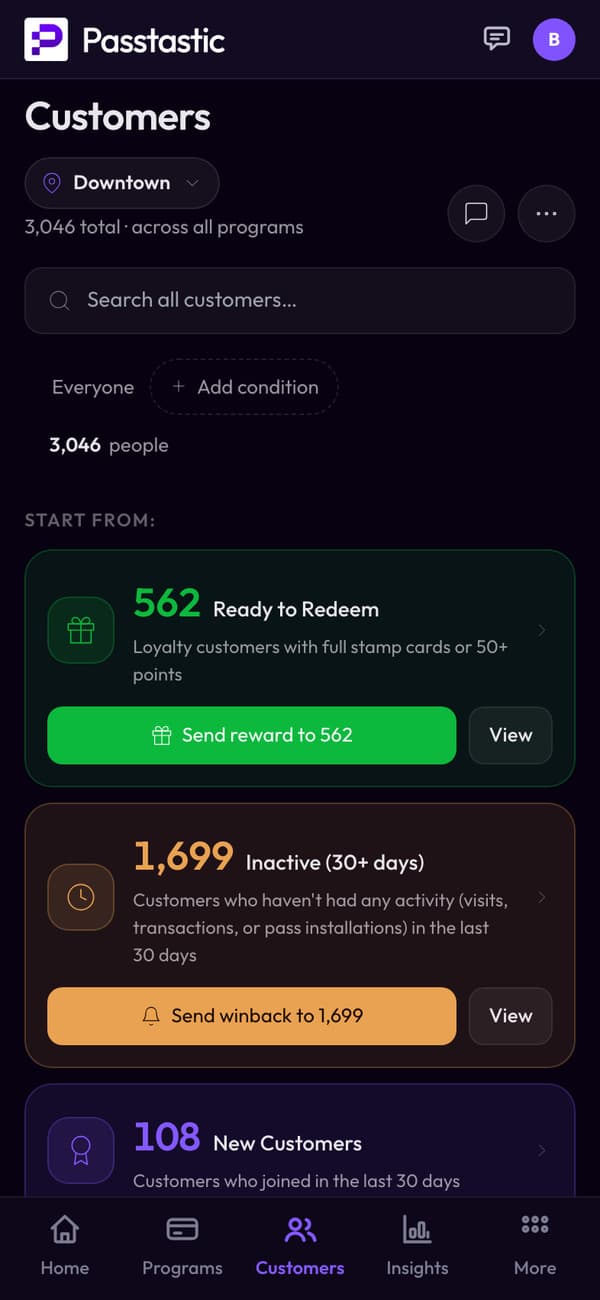
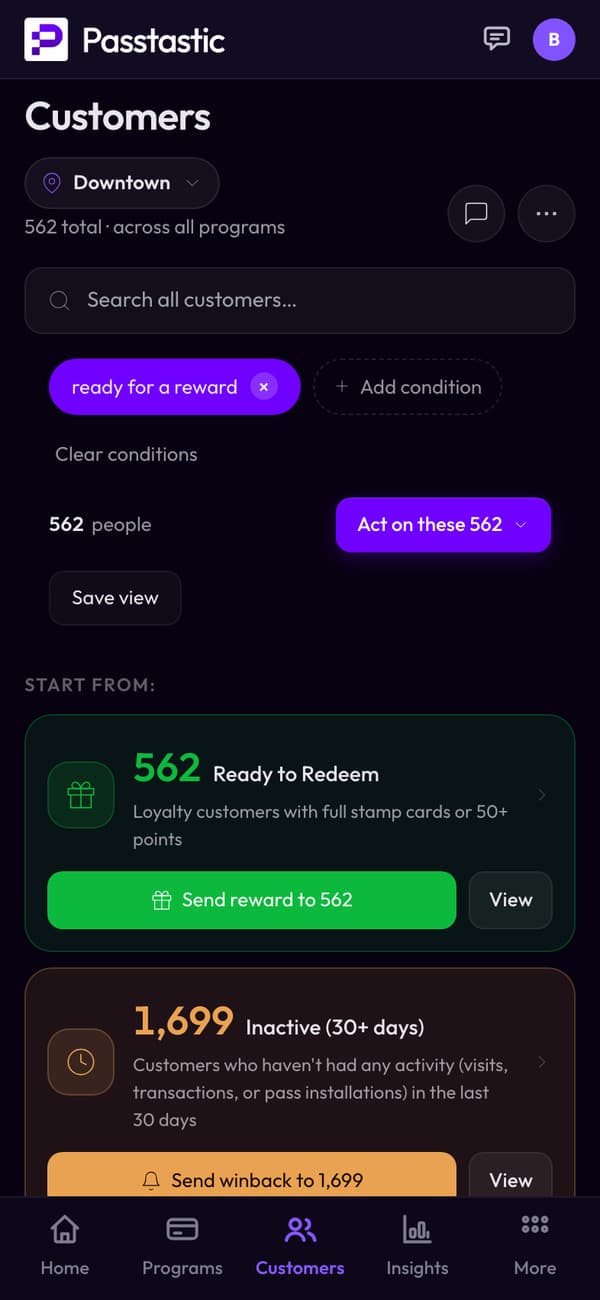
Most customer retention software wants you to build a funnel before it tells you anything. This just groups people for you — and every group arrives with the thing you'd want to do about it.

Ready to redeem

Send reward

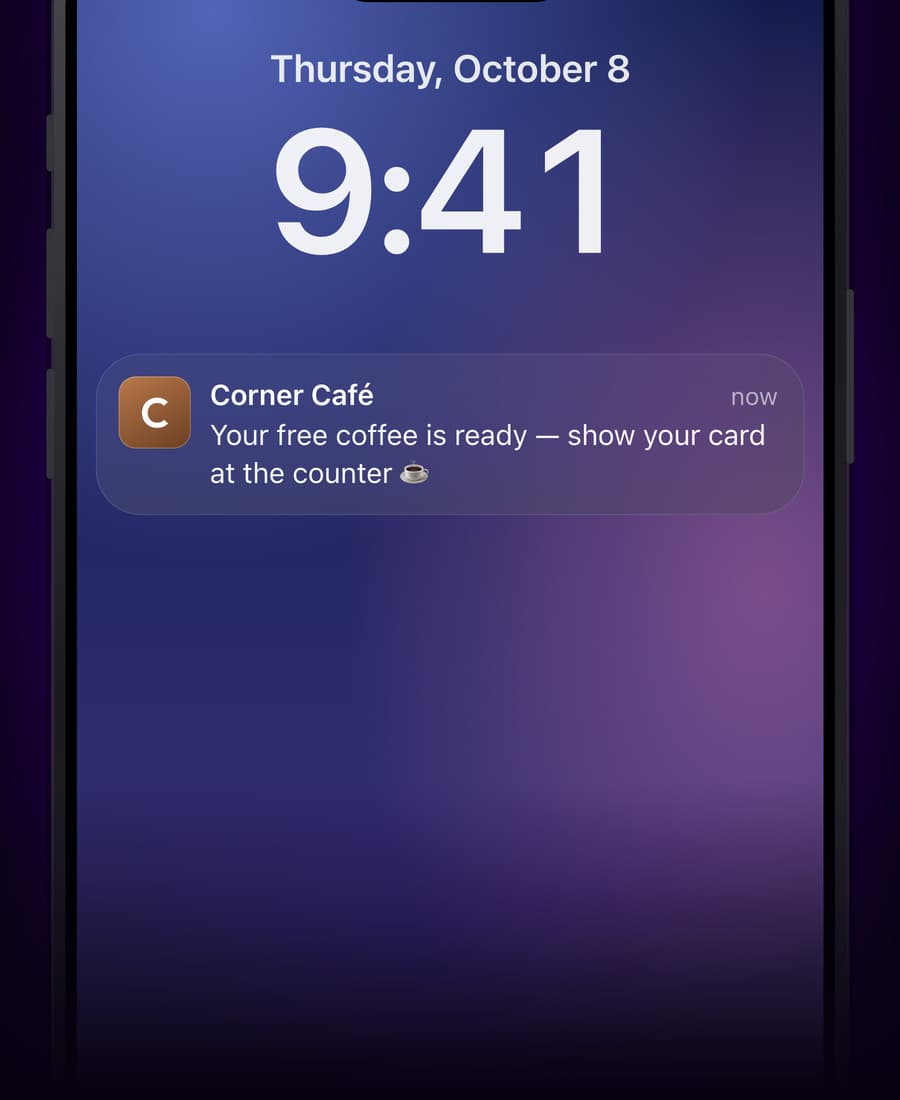
They've earned it and haven't collected. One tap tells them.

Haven't been back in 30 days

Send winback

The ones quietly slipping away, before they're gone for good.

New this week

Send welcome

First-timers, while they still remember you.

Frequent visitors

Say thank you

Your regulars — the ones worth recognising by name.

Or build your own group: visits, stamps or points, how long since they last came in, when they joined.

Everything you'd do next is one tap away

The list isn't something you read. It's something you act on — for one customer, or for everyone in a group at once.

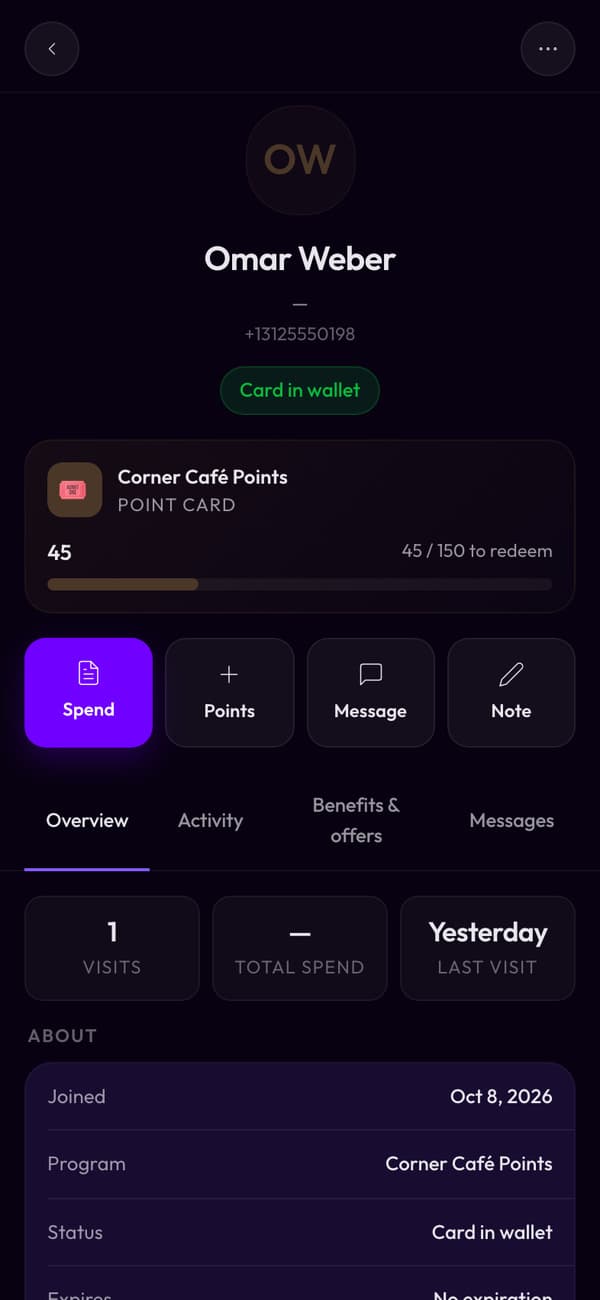
  • Add stamps, points, or credit from a purchase
  • Send a message to one person or a whole group
  • Redeem a reward and reset the card
  • Fix a balance when something went wrong at the till
  • Leave a note only your team can see

Built for the phone in your apron

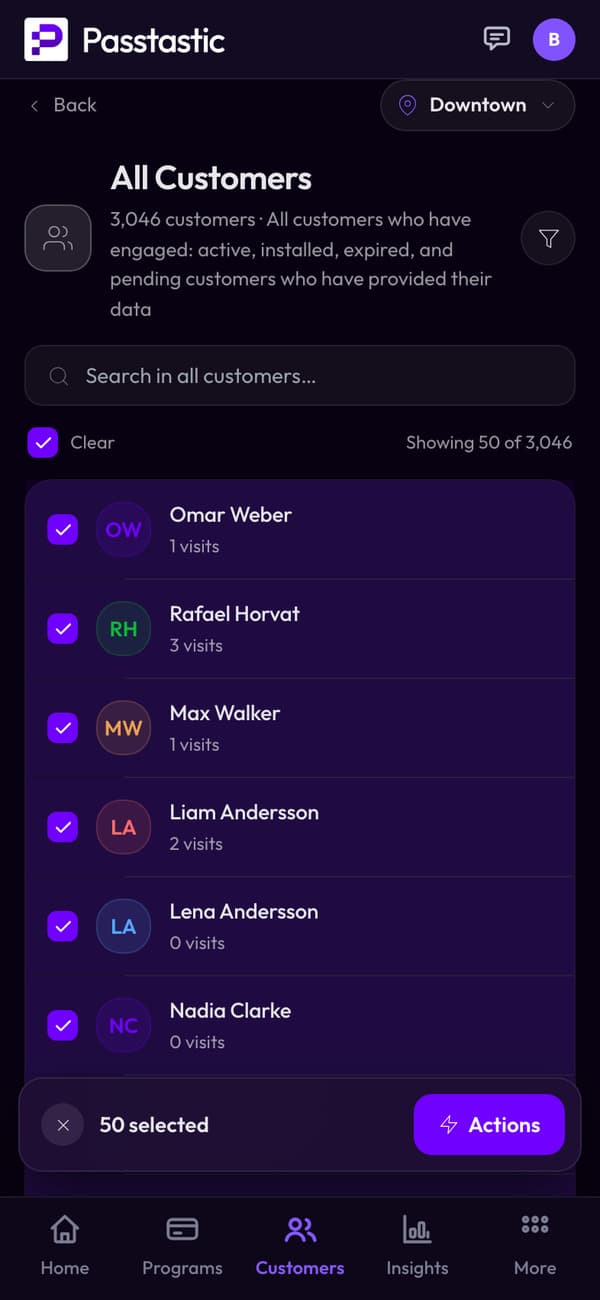
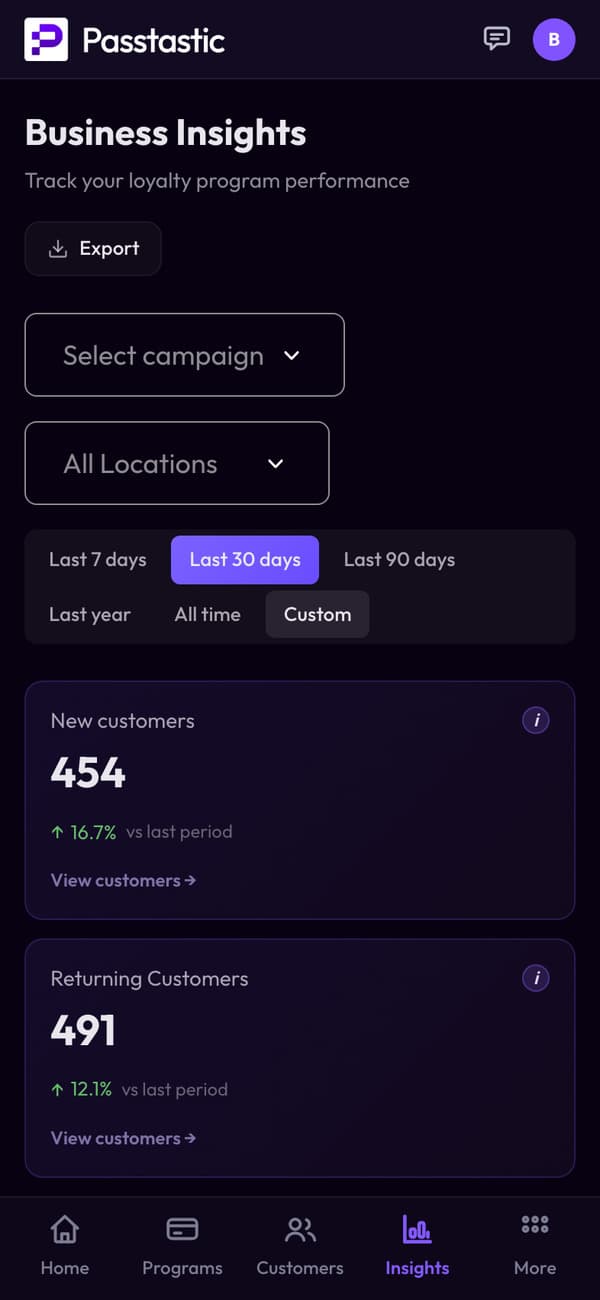
This isn't a desktop screen squeezed onto a phone. On mobile it opens straight on your groups — who's ready for a reward, who's drifting — with the action already on each one. The spreadsheet view is there if you want it. Most days you won't.

See how it works →

Bring the list you already have

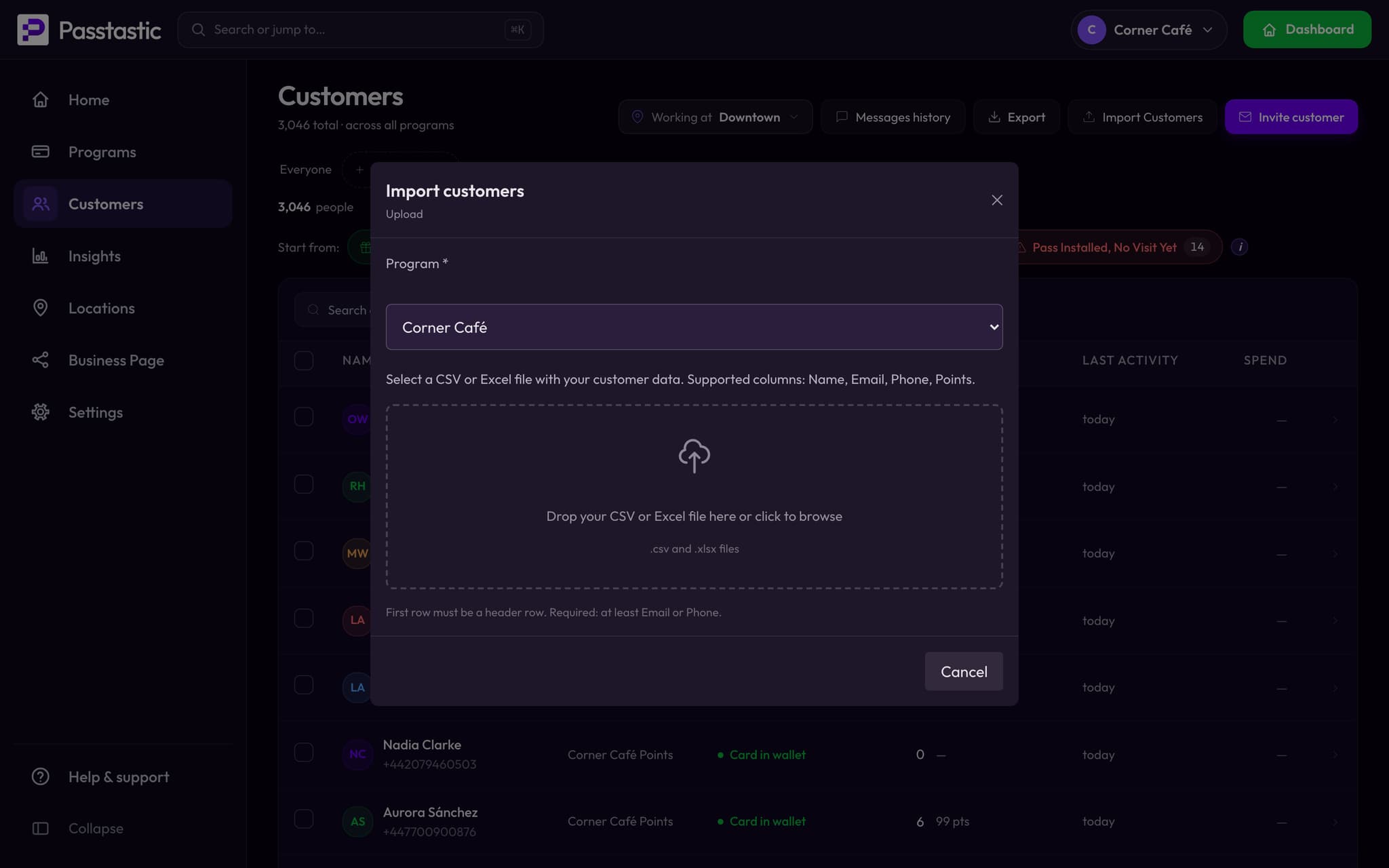
Moving from paper, a spreadsheet, or another program? Upload a CSV with names, emails or phone numbers and their current balances. Everyone keeps their stamp or point balance, and gets an invite to save their card to their wallet.

Rather not do it yourself? Send us your file and we'll load it for you.

How switching works →

Questions people actually ask

How do I create a customer database for a small business?

You don't build customer database software — you start a loyalty card, and it fills itself. Put the QR code on your counter, and every customer who saves it becomes a record with their name, their visits and their balance. There's nothing to design and nothing to type in.

How do I keep track of my customers?

Search for anyone by name, email or phone and you'll see their whole history — how often they come, what they're close to earning, when they were last in, and any note your team left. You can also work from ready-made groups instead of scrolling a list.

Do I have to import my customers?

No. Anyone who saves your loyalty card is in the list automatically, from the first day. Import is only for the customers you already had before you started.

How do I measure whether customers are coming back?

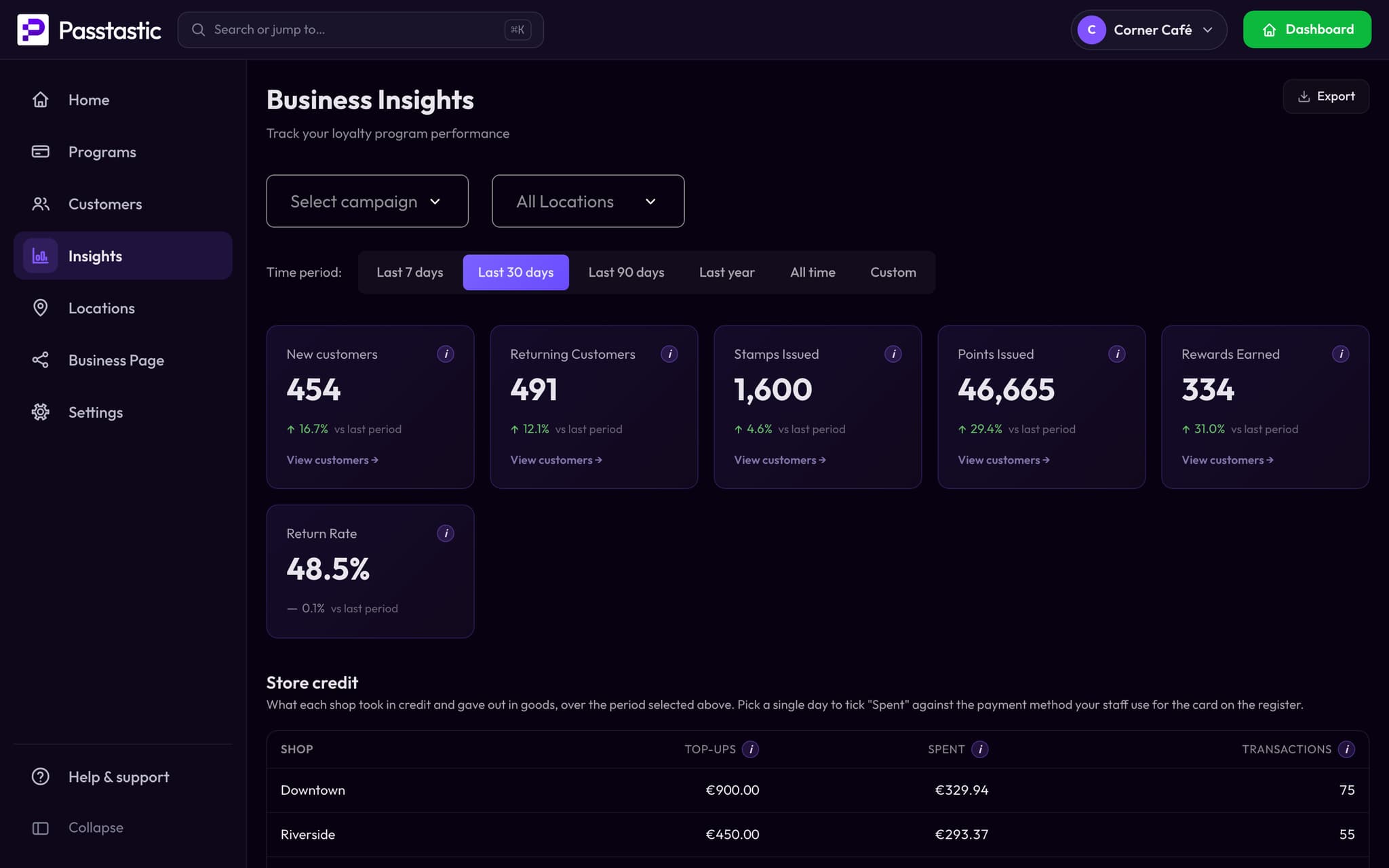
The list already separates them for you: who's due a reward, who's gone quiet for 7 or 30 days, who's new, and who comes in most. You don't calculate a retention rate — you look at who's drifting and send them something.

Is this customer retention management software?

That's the category name for it, yes. Most of what's in that category is built for teams with a marketing department and a quarterly plan. This is the version for a shop with a counter and a queue — the same job, without the setup.

Is this a client management app?

It works like one, yes — every customer gets a record with their visits, balance and any note you leave, searchable from the counter in seconds. It's built for a shop with regulars, not a sales team, so there's nothing to configure beyond your loyalty card.

What can I actually do from the list?

Add stamps or points, credit a purchase, redeem a reward, fix a balance, leave a private note, and message one customer or a whole group. Everything works on a single customer or on a selection.

Does it work on my phone?

Yes, and it's built for it. On a phone the Customers page opens on your groups rather than a table, so the thing you'd do at the counter is one tap from the home screen.

Can I get my data out?

Yes. Your customer list exports to CSV from the Customers page — names, contact details and balances, in a file you can open in a spreadsheet or hand to another tool. It's your data, and it leaves with you.

Keep reading

Start with an empty list. It won't stay empty.

Free to start — 14 days, no card needed.