

A POS loyalty program that runs at checkout.
Customers earn when they pay. Connect your point of sale or ERP — Square, Lightspeed and Holded are live — and points post straight from the sale. Their details land in the tools you already use, and they can join from your website. Or run Passtastic standalone with the scanner app on the phones your team already has.













What a POS loyalty program is
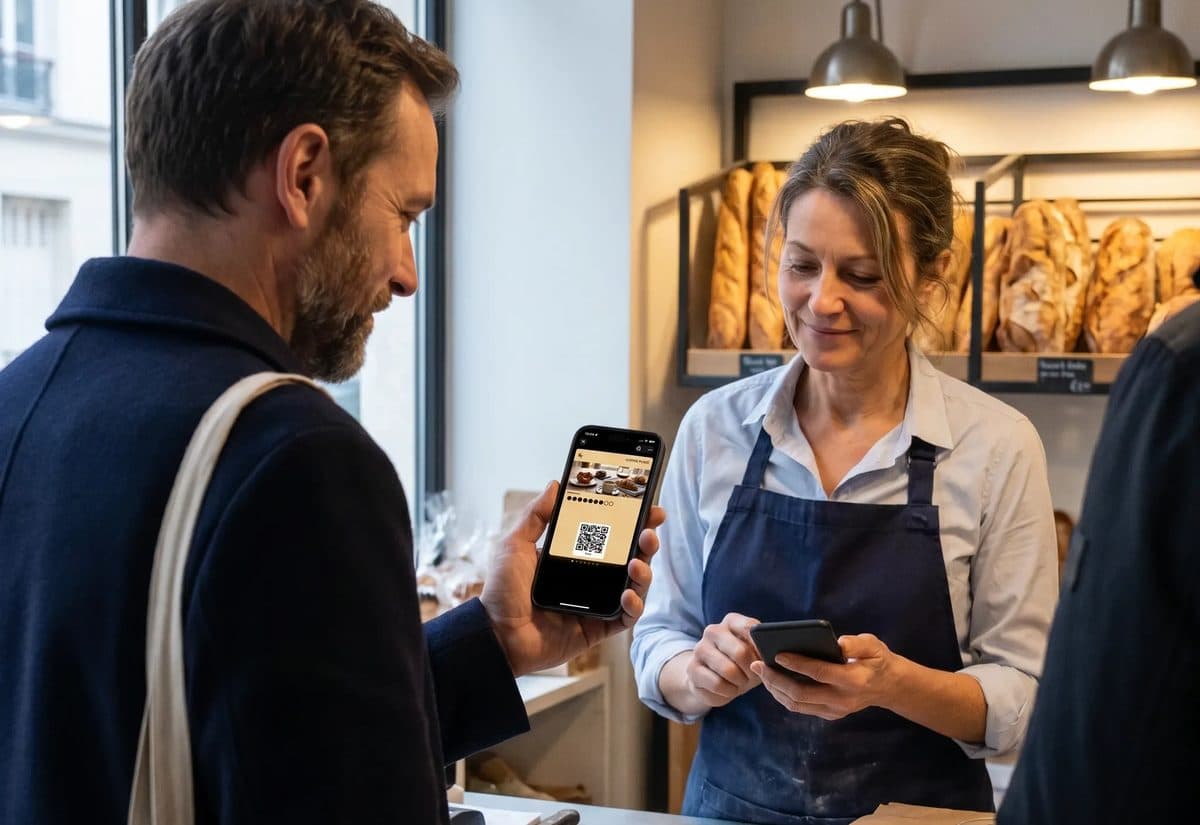
It is a loyalty program that runs from the checkout you already have. The customer pays; the stamps, points or rewards happen on their own, without your staff opening a second app or typing anything twice.
The customer pays as usual
Your staff add them to the sale in your point of sale — the same few taps as applying a discount. On a connected system that is the only extra step, and it takes a second.
Points post from the sale
Stamps or points are worked out from the ticket and land on the customer's card straight away. Nothing to key in, nothing to write down, nothing to reconcile at closing.
The reward comes off at checkout
Next visit it applies itself. Your staff do not check a list, hunt for a code, or ask whether someone is a member — the sale simply comes to less.
No connection yet? Your team scans the card with the free scanner app on the phones they already carry — one tap a visit, alongside any checkout system, or none at all.
Popular integrations.

Square POS
Customers earn when your staff add them to the sale in Square; rewards live on your card and show up in Square by name. Works on plain Square, no loyalty add-on.

Zapier
New customer, reward earned, card redeemed: each event can start a Zap in any app Zapier connects to.
Web sign-up
Wallet buttons or a full form on WordPress, Squarespace, Wix, Shopify, or any site that accepts HTML.
Pick what you use.
Each one has its own page with what happens at the counter, the setup steps, and which plans include it.
Point of sale
Earn from the sale, redeem at the counter.Square POS
Customers earn when your staff add them to the sale in Square; rewards live on your card and show up in Square by name. Works on plain Square, no loyalty add-on.

Holded TPV
Your members appear in your Holded contacts on their own, and every ticket with a customer earns stamps or points.

Lightspeed
Stamps or points post from every sale with a customer attached, and rewards apply at checkout by themselves.

Odoo POS
Pick the registers that earn: every sale with the customer on the ticket adds stamps or points, and an earned reward comes off right at the register.

Loggro Restobar
Your members appear in your Restobar customers on their own, every sale with the customer picked earns, and a courtesy item redeems the reward.

Siigo
Your members appear in your Siigo customers by ID number, and every paid sale with the customer picked earns stamps or points.
Online store
Bring your online customers back.
IdoSell
Your IdoSell store's loyalty card in Apple and Google Wallet, with lock-screen messages that send themselves.
ShoperComing soon
Your Shoper store's loyalty card in Apple and Google Wallet, with one points balance online and in your shop.
Messaging
Talk to customers where they already chat.
WhatsAppComing soon
Chat with customers next to their loyalty card and send offers on WhatsApp, with your own number and app.
Automation
Send loyalty events to your other tools.Zapier
New customer, reward earned, card redeemed: each event can start a Zap in any app Zapier connects to.

Make
The same events into Make scenarios. For teams that already build in Make, or run high volumes.
Website
Let people join where they already are.Web sign-up
Wallet buttons or a full form on WordPress, Squarespace, Wix, Shopify, or any site that accepts HTML.
Reviews
Turn regulars into Google reviews.Google reviews
A few hours after a customer's 2nd visit, their card asks once for a Google review. The link stays on the card and your business page.
What happens on a sale, system by system
Every connection works a little differently, because every checkout does. Here is what your staff actually do, and what happens without them.
Square
Your staff add the customer to the sale in Square the way they already add a discount. Stamps or points are worked out from the ticket and post to the card by themselves, and rewards come off the next sale automatically. It runs on plain Square — there is no paid loyalty add-on to buy, and Square stays exactly as it is.
Lightspeed
On Lightspeed Retail X-Series, any sale with a customer attached earns. Points or stamps post from the ticket, and the reward applies at checkout on the return visit. Your staff carry on selling the way they do now.
Holded
Holded is both the point of sale and the business system behind it, so the connection runs both ways: members appear in your Holded contacts on their own, and every ticket with a customer attached earns stamps or points.
Zapier and Make
For everything that is not the counter. A new customer, a reward earned, a card redeemed — each event can start a Zap or a Make scenario, so people land in your email tool, your spreadsheet or your CRM without anyone copying them across.
Your website
Wallet buttons or a full sign-up form on WordPress, Squarespace, Wix, Shopify, or any page that accepts HTML — so people can join before they ever reach the counter.
Stamps, points or tiers
The connection is the same whichever you pick. What changes is what your customers understand at a glance.
Stamps
Buy nine coffees, the tenth is free. Everyone understands it without being told, and it suits a counter where the ticket is roughly the same every time — cafés, bakeries, barbers, car washes.
Points
Earn from what they spend. Better where tickets vary a lot: restaurants, retail, salons with a wide treatment list. Points reward a big spender in a way stamps cannot.
Tiers and memberships
Silver, gold, and the perks that come with each — or a paid membership with a monthly fee. Suits places where regulars want to be recognised, and where a bigger commitment earns a bigger benefit.
Coupons
A single offer with a deadline. Good for winning back someone who has not been in for a while, or filling a quiet weekday.
You can change your mind later — the card in your customer's wallet updates without them doing anything.
Why the card lives in the wallet
A Passtastic card sits in Apple Wallet or Google Wallet, next to the boarding passes and bank cards people already keep there.
Nothing to download
No app, no account, no password to forget. They add the card in one tap at the counter and it is there for good.
It reaches the lock screen
A push notification when a reward is ready, or when you have a quiet Tuesday to fill. It arrives where people actually look.
One program, every location
The same card and the same balance whichever of your shops they walk into, and one place for you to see all of it.
The customers are yours
Names, visits and spend sit in your account. Export them whenever you like — and they stay with you if your checkout system ever changes.
What setting it up actually involves
Most of it is deciding what you want to give away. The technical part takes a few minutes.
Design the card
Your name, your colours, your logo, and the reward. This is the part worth thinking about — how many visits before the reward, and what that reward is worth to you.
Connect your point of sale
Sign in to your system from the Passtastic dashboard and approve the connection. There is no plugin to install and nothing to change on the checkout itself.
Put the card where people can add it
A QR code by the register, a link in your bio, or the sign-up form on your website. Most people add it while they wait for their order.
Tell your staff the one thing they do
Add the customer to the sale. That is it — no second device to learn, nothing to remember at the end of a shift.
Step-by-step guides for each connection are in the help centre, and a first card can be live the same afternoon.
Included, not an add-on
The point of sale connections for Square, Lightspeed and Holded, plus sign-up on your website, are included on every plan — they are not a paid extra layered on top. Zapier, Make and the developer API come with Multi-Location and Groups & Brands. Every plan includes the campaigns, the push notifications and the customer list; what changes between plans is how many locations you run.
Start with a 14-day free trial. No card needed to try it.
Don't see your point of sale?
Passtastic runs standalone with any checkout system, or none: your team scans the card with the free scanner app on the phones they already have. If you run several locations and want points to post from your POS, we set the integration up with you.
Questions before you connect.
Does Passtastic work with my point of sale?+
Standalone, yes: the scanner app works alongside any checkout system. Connected, Square, Lightspeed and Holded are live. With a direct connection, points post from the sale and there is nothing else to enter.
Do I need paid Square Loyalty?+
No. The Square integration works on plain Square. You keep Square as your point of sale and skip the loyalty add-on.
Which plans include Zapier and Make?+
Multi-Location and Groups & Brands. Square, Lightspeed, Holded and Web sign-up are included on every plan.
Can points be added automatically without a POS connection?+
Not from the sale. Without a connection your staff scan the card, one tap per visit, or you add points from the dashboard.
My POS already has a loyalty program. Why switch?+
Passtastic's card lives in Apple and Google Wallet with no app to download, sends push notifications to the lock screen, and your customer data stays yours. You keep your POS and switch off its loyalty add-on.
Is there an API?+
Yes. The developer API is included on Multi-Location and Groups & Brands. See the developer docs.
Connect your tools.
Keep your regulars.
Start your free 14-day trial, connect Square or your email tool in a few minutes, and see the first points post.
Square is a trademark of Block, Inc. Zapier, Make, Holded, Lightspeed, Odoo, IdoSell and Shoper are trademarks of their respective owners. Passtastic is not affiliated with them unless stated. WhatsApp is a trademark of Meta Platforms, Inc.