



Points post from the sale.
Passtastic works with Square POS. Your staff add the customer to the sale in Square, and the stamp or points land on the card in their wallet. Works on plain Square, no paid Square Loyalty add-on.
Already a customer? Connect Square opens your dashboard.
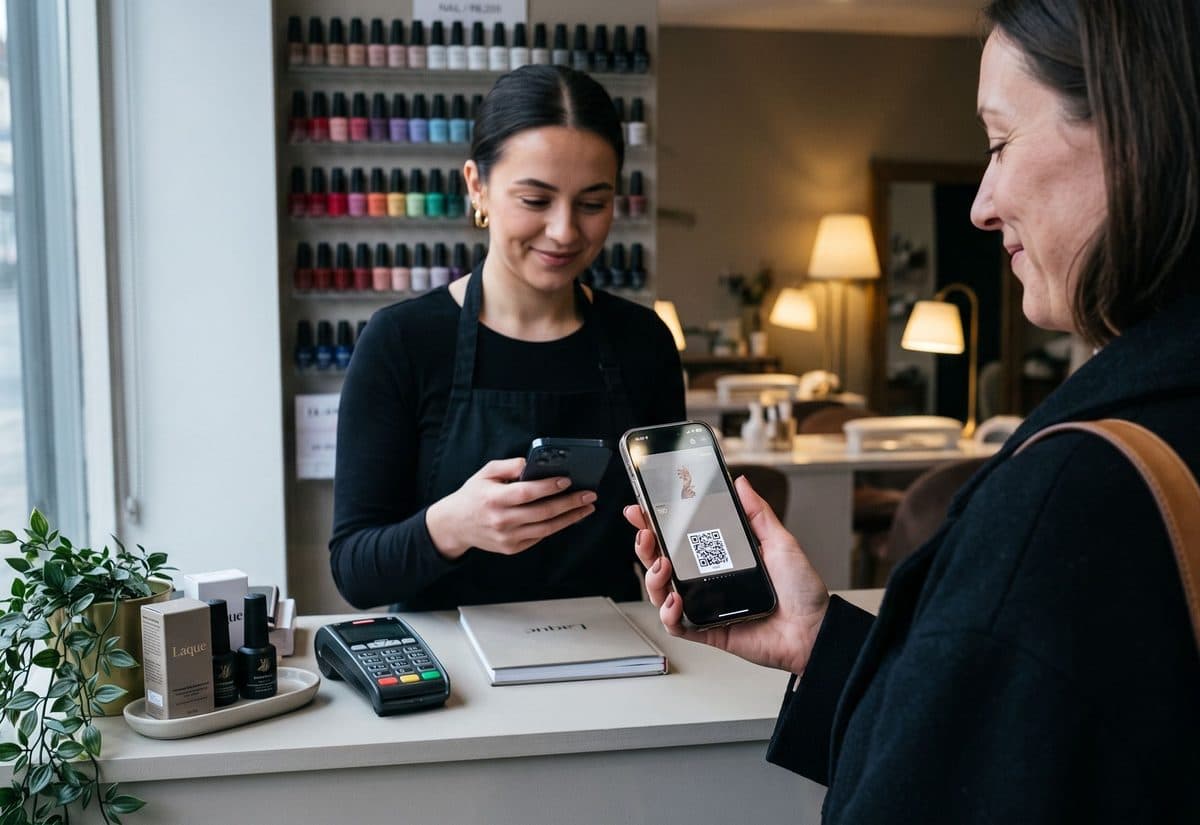









What happens when they pay.
The checkout stays the same
Your staff take payment the way they always do. The only addition is picking the customer in Square, by phone or email. Per visit, or per amount spent.
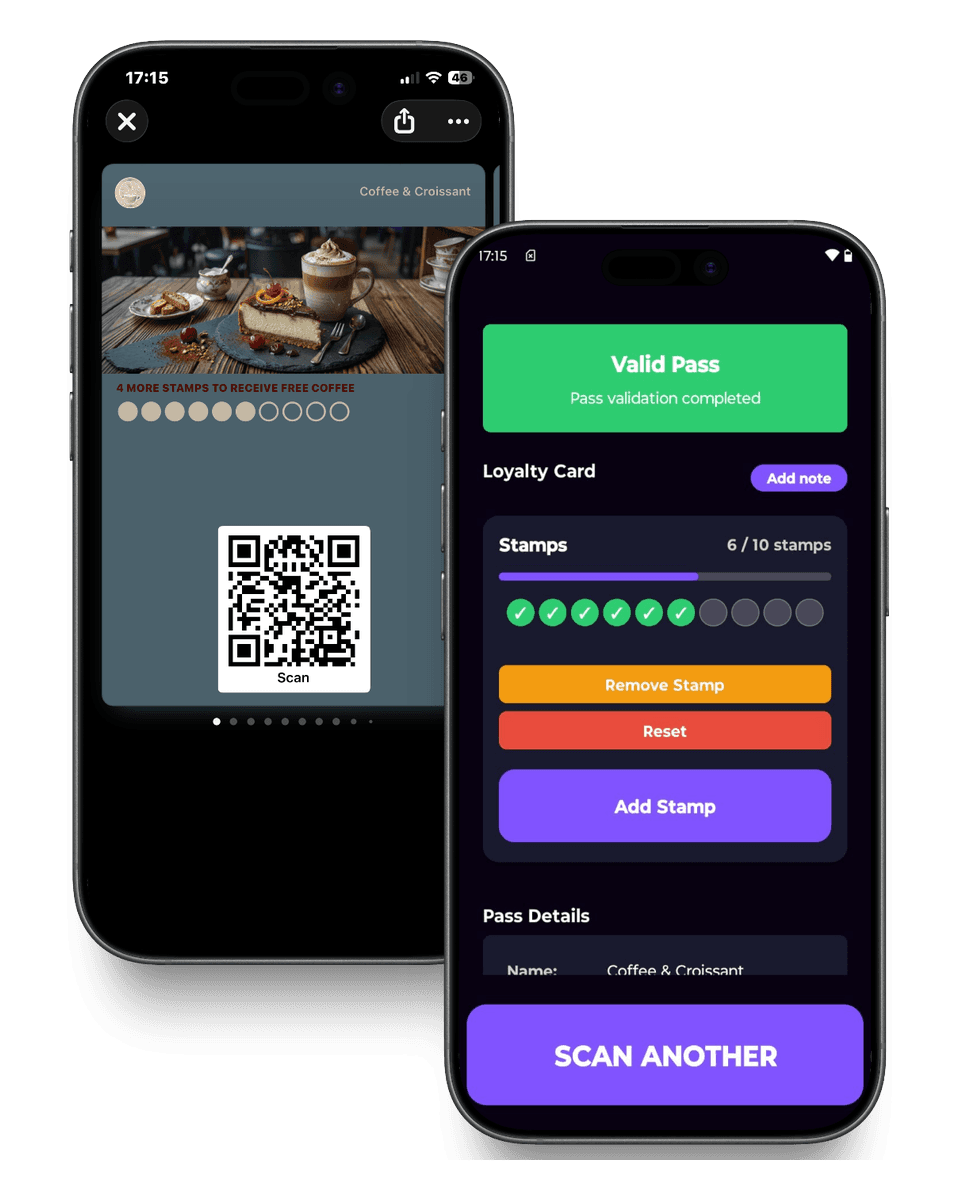
Their card shows the new balance
The wallet card on their phone shows the new balance, so nobody has to ask how many points they have at the next visit.
Rewards are applied in Square
When the card is full or the points are there, the customer sees the reward on their wallet card and your staff apply the Passtastic discount at checkout.
Your team keeps the flow they already have.
Earning stays inside Square: add the customer, take payment. Nothing new to learn at the counter.
Add the customer before payment
Tap Add customer in Square and pick them by phone or email. Take payment as usual.
The stamp or points post to their wallet card
Nothing to type on your side. If a sale didn't earn, it is almost always because the customer wasn't on the sale.
Give the reward
Confirm the customer's card in the Passtastic Scanner app, then apply the Passtastic discount in Square.
Set up in 3 steps.
Connect your Square account
Sign in with your Square owner login and authorise Passtastic. One published loyalty card is all you need first.
Choose what earns, and the reward
Per visit, or per amount spent. Works with stamp, points and level cards. Passtastic creates the reward discount in Square for you.
Add the customer at checkout
From the next sale, staff add the customer in Square and the points post. That is the whole change at the counter.
The concerns we hear most.
I'm standing on my POS, I add the product, they pay. Then what happens?
Before you take payment, tap Add customer and pick them by phone or email. When the sale closes, the stamp or points post to their wallet card. Nothing else to enter.
Do I need paid Square Loyalty?
No. This works on plain Square. You keep Square as your point of sale and skip the loyalty add-on.
A visit didn't earn. Why?
Almost always because the customer wasn't added to the sale in Square. The customer has to be on the sale for loyalty to count.
Will this slow down my line?
One thing is added: your staff pick the customer in Square before taking payment. The reward is a discount they already know how to apply.
We used Square Loyalty before. What's different?
The card lives in Apple and Google Wallet with no app to download, you can send push notifications to the lock screen, and your customer data stays yours. Read the full Square Loyalty review →
Square and Passtastic, answered.
Can I change the earn rate or the rewards later?+
Earn settings change in the Square integration settings. Rewards live on your card and points rule; press Save to Square after editing them.
Which card types work with Square?+
Stamp cards, points cards and level cards, including cards that start with a welcome coupon. Staff can give the welcome gift from the register too.
Do customers need the Square app?+
No. They need nothing beyond the card in their wallet.
What if a customer pays without giving a phone or email?+
The sale won't earn. Ask for the phone or email before payment, the same as with a paper stamp card.
Do my customers appear in Square?+
Yes. When someone joins, we add them to your Square customer list unless they are already there. You can switch this off.
How does a customer use a reward?+
They ask at the counter. Your staff confirm the reward in the scanner and apply the discount with its code to the sale; that reward's points come off. Tier perks on level cards apply by themselves.
Related integrations.

Zapier
New customer, reward earned, card redeemed: each event can start a Zap in any app Zapier connects to.
Web sign-up
Wallet buttons or a full form on WordPress, Squarespace, Wix, Shopify, or any site that accepts HTML.

Holded TPV
Your members appear in your Holded contacts on their own, and every ticket with a customer earns stamps or points.


Run your loyalty from
the Square register.
Start free, connect Square in a few minutes, and see the first points post from a real sale.
Square is a trademark of Block, Inc. Zapier, Make, Holded, Lightspeed, Odoo and IdoSell are trademarks of their respective owners. Passtastic is not affiliated with them unless stated.