Lightspeed Loyalty Review (2026): Plans, X-Series and Alternatives
Lightspeed's retail plans list loyalty on the plan grid, but what you get is loyalty dollars inside Lightspeed, with no card in your customer's pocket. Here's what it does, what it costs, and how to run a wallet loyalty card on your Lightspeed register instead.

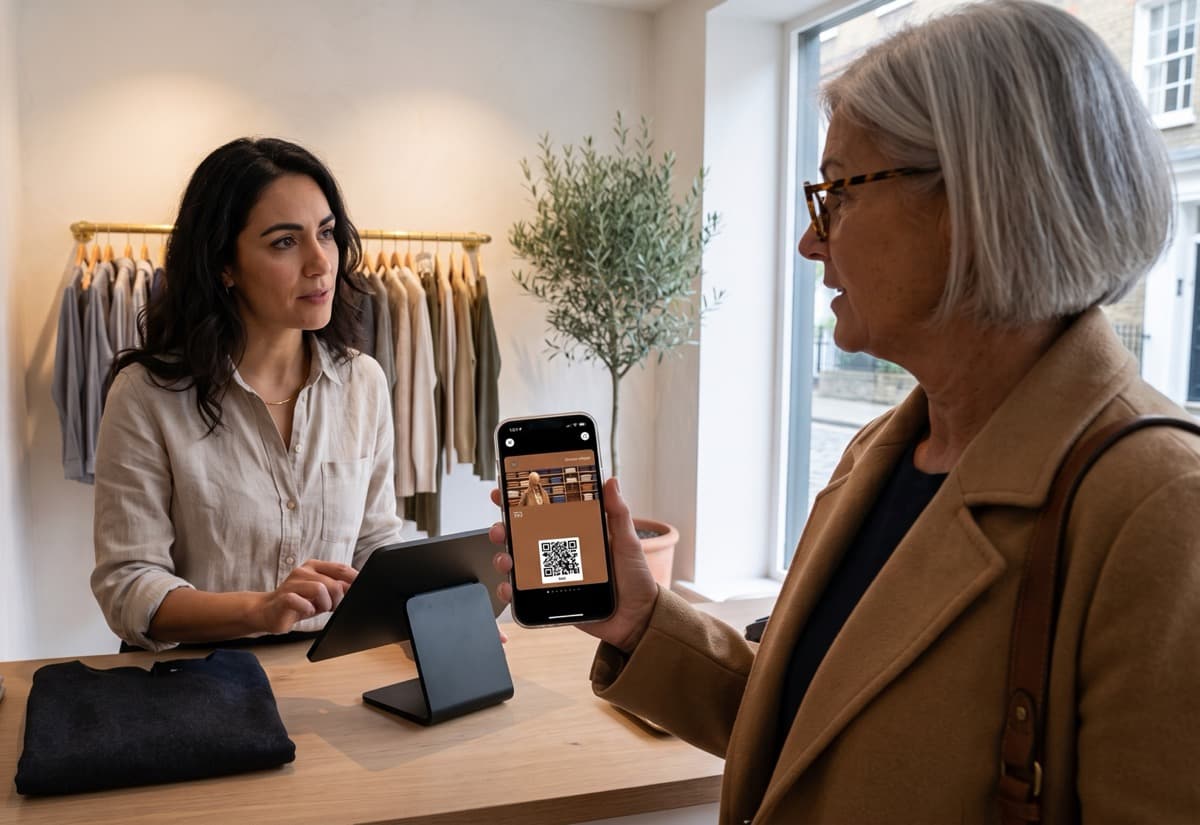
Lightspeed's built-in loyalty is fine if you want a cash-back balance that only exists inside your register. If you want a card your customers actually carry and look at, one that can remind them to come back, it's not that. This review covers what Lightspeed's loyalty does, which plan you need, and how to run a wallet loyalty card on your Lightspeed Retail X-Series register without touching the built-in one.
What is Lightspeed Loyalty and how does it work?
"Lightspeed Loyalty" means different things depending on which Lightspeed you run. That confuses a lot of owners, so here's who does what.
| Lightspeed product | What "loyalty" means there | How customers see it |
|---|---|---|
| Retail X-Series (the web-based Sell screen, formerly Vend) | A built-in program. Customers earn loyalty dollars as a share of what they spend, then pay for a later sale with them, in full or in part. Works online too if you use Lightspeed eCom (E-Series). | No card, no app. The balance sits in their customer record and appears when your staff add them to a sale. |
| Retail S-Series (formerly ShopKeep) | A separate "Lightspeed Loyalty" product on select packages. Points earn through the S-Series app. | Customers track points in the AppCard app. |
| Restaurant K-Series | A built-in loyalty cards module: discount, gift, punch and ID cards. | Physical or digital cards handled at the terminal. |
If you're on Retail X-Series, the built-in version is the one on your Setup menu. It's genuinely well integrated: staff add the customer to the sale, the sale closes, loyalty dollars land. Nothing to scan, nothing to explain. For a shop that just wants a quiet spend-back program, it does the job.
The catch is what your customer doesn't get. There's no card in their wallet, no balance they can glance at, no message when they haven't been in for a month. Loyalty that only exists at your register only works while they're standing at your register.
Which Lightspeed plan includes loyalty, and what does it cost?
On Lightspeed's US retail pricing page (September 2026), all three plans list "in-store and online loyalty": Basic from $89 a month, Core from $149, and Plus from $289, on annual billing. Monthly billing costs more.
Those are US prices in US dollars. Lightspeed sets plan names and prices per country, so the numbers on your local pricing page will be different, and in some regions the plan that includes loyalty isn't the entry one. Lightspeed's X-Series help centre says that to enable Loyalty you need the Advanced plan or a paid Loyalty module. So before you count on it, open the pricing page for your own country and check both the price and the plan grid.
Two more things to budget for. The marketing side, meaning email campaigns, segments and birthday perks, sits in a separate paid add-on called Lightspeed Advanced Marketing. And if you want customers to earn and spend online, you need Lightspeed eCom (E-Series) as well. The loyalty line on the plan grid is the start of the bill, not the whole of it.
Is Lightspeed's built-in loyalty worth it?
It depends on what you want loyalty to do.
Turn it on if you're already on a plan that includes it, you sell the kind of thing people buy every few weeks, and a "spend $200, get $10 back" mechanic fits your margins. It costs you nothing extra and takes ten minutes to set up.
It's not enough if you want customers to remember you between visits. Eight out of ten people use a loyalty card when it's stored on their phone. A balance buried in your customer database isn't on their phone. Nobody sees it on the bus, nobody shows it to a friend, and you can't send a "we miss you" note to it.
The mechanic matters too. Loyalty dollars are a points program with a currency sign. Points suit a shop with a wide price range, but for a lot of counters a simple stamp card wins, because nobody has to do maths at the till. We've written up when each one works in stamps versus points for small businesses, and Lightspeed's built-in version only does one of the two.
To be fair, the reverse is true too: no loyalty program fixes slow service or an empty shelf. A card gets people back through the door. What happens next is still on you.
Can you run a loyalty program on Lightspeed without the built-in one?
Yes. A loyalty platform can connect to your Lightspeed Retail X-Series account, watch your sales, and add stamps or points to a card in your customer's Apple or Google Wallet. Passtastic's Lightspeed integration does exactly that, on every plan, with nothing installed on your register. You need one published card to start; if you don't have one, create a loyalty card first, it takes a few minutes. Then:
- 1Connect Lightspeed. In your Passtastic dashboard, click Connect Lightspeed, log into Lightspeed and approve access. Lightspeed shows a notice that the app isn't listed in its public store. That's expected for a private app. Approve it and you're back in Passtastic.
- 2Choose which cards earn. Turn on your points, level or stamp cards. Stamp cards earn one stamp per paid sale, no rule needed. Points and level cards earn by the rule you set, for example one point per euro.
- 3Add the customer to the sale. Your staff already do this whenever a customer wants the sale on their account. From the next sale, stamps or points land on the customer's wallet card within about a minute.
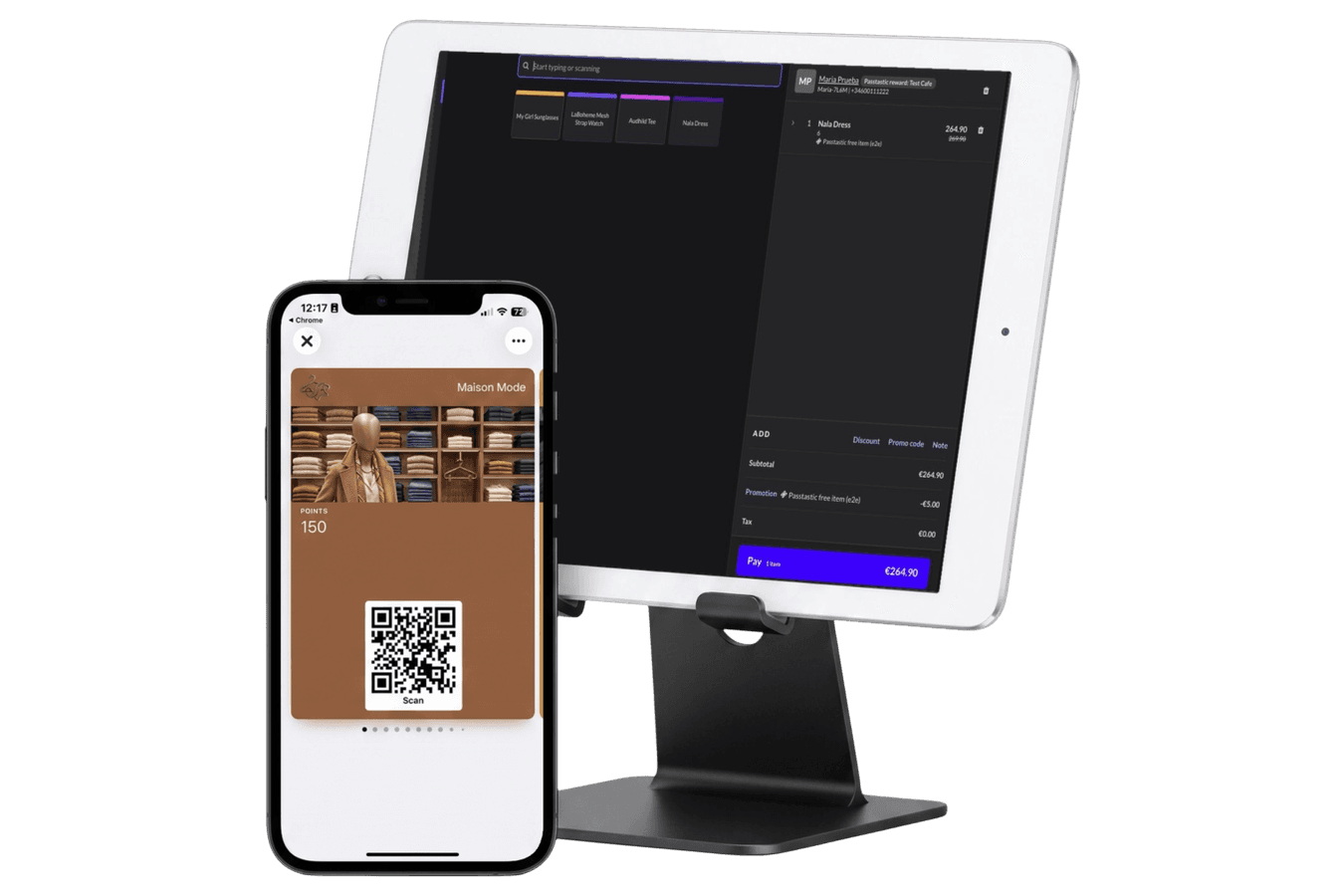
The part most owners don't expect: rewards apply at the register too. Once a card is full, or the points are there, the discount line appears on the next sale on its own, or your staff type a short promo code if you'd rather they decide when it lands. A few seconds after payment the card resets and the next visit earns normally. If a sale is voided, the stamps or points come off the card again, so it always matches what was actually paid.
Your customer sees all of it on a card in their wallet: the stamps, the points, the "one more visit" nudge. You can send a message to that card when they've gone quiet. That's the half of the job a register can't do.
Lightspeed built-in loyalty vs a wallet loyalty card: side by side
| Lightspeed built-in loyalty (X-Series) | Passtastic on Lightspeed X-Series | |
|---|---|---|
| What customers earn | Loyalty dollars, a share of spend | Stamps, points or levels, your choice |
| Where they see it | Only when staff add them to a sale | On a card in Apple or Google Wallet |
| Reaching them later | Separate Advanced Marketing add-on | Messages to the wallet card, included |
| Earning at the register | Automatic when the customer is on the sale | Automatic when the customer is on the sale, within about a minute |
| Redeeming at the register | Pay with the balance, like cash | Applies by itself or with a promo code |
| Plan needed | Included on US plans; Advanced plan or paid module elsewhere, prices vary by country | Every Passtastic plan, 14-day free trial, no card required |
| If you ever change registers | The program lives in Lightspeed | The card stays in your customers' wallets, and your staff can scan it instead |
What to watch out for when you connect
A few things we tell every Lightspeed shop before they turn it on, because they're the calls you'll get from staff in week one:
- A walk-in sale with no customer attached earns nothing. The whole system hangs on one habit: search the customer by name or phone and put them on the sale. Passtastic can add your members to your Lightspeed customer list automatically, so they're already there to find.
- Only one promotion applies per item. If you're running your own 20% off dresses and a customer with a full card buys a dress, Lightspeed applies the better of the two. Her card stays full for another day. It's fair, but staff should know.
- Registers load promotions when the Sell screen opens. After you save or change a reward, reopen the Sell screen once on each register.
- It's Retail X-Series only. If you're on R-Series, S-Series or a Restaurant series, this integration doesn't apply. Your staff can still run the same wallet card with the free scanner app, just without the automatic earning.
- Already running the built-in loyalty? You can leave it on while customers use up their balances. The two sit in different places on the sale: Lightspeed's loyalty dollars are a payment, Passtastic's reward is a promotion line.
The full setup, with screenshots of every screen, is in the Connect Lightspeed POS guide.
The automatic conversion works really well and makes things easier for the checkout staff: they only enter the receipt amount, and the system automatically assigns the correct number of points.

Van Donzel run a furniture store with 32 sales reps. For a shop with three staff and a busy Saturday, the same thing holds: the fewer taps at the till, the more often the card actually gets used. If you run a retail shop with a proper regular base, that's the whole game.
Keep your Lightspeed register. Add a loyalty card your customers carry in their wallet.
Create Your Loyalty Card