



Automatic rewards with every Lightspeed sale.
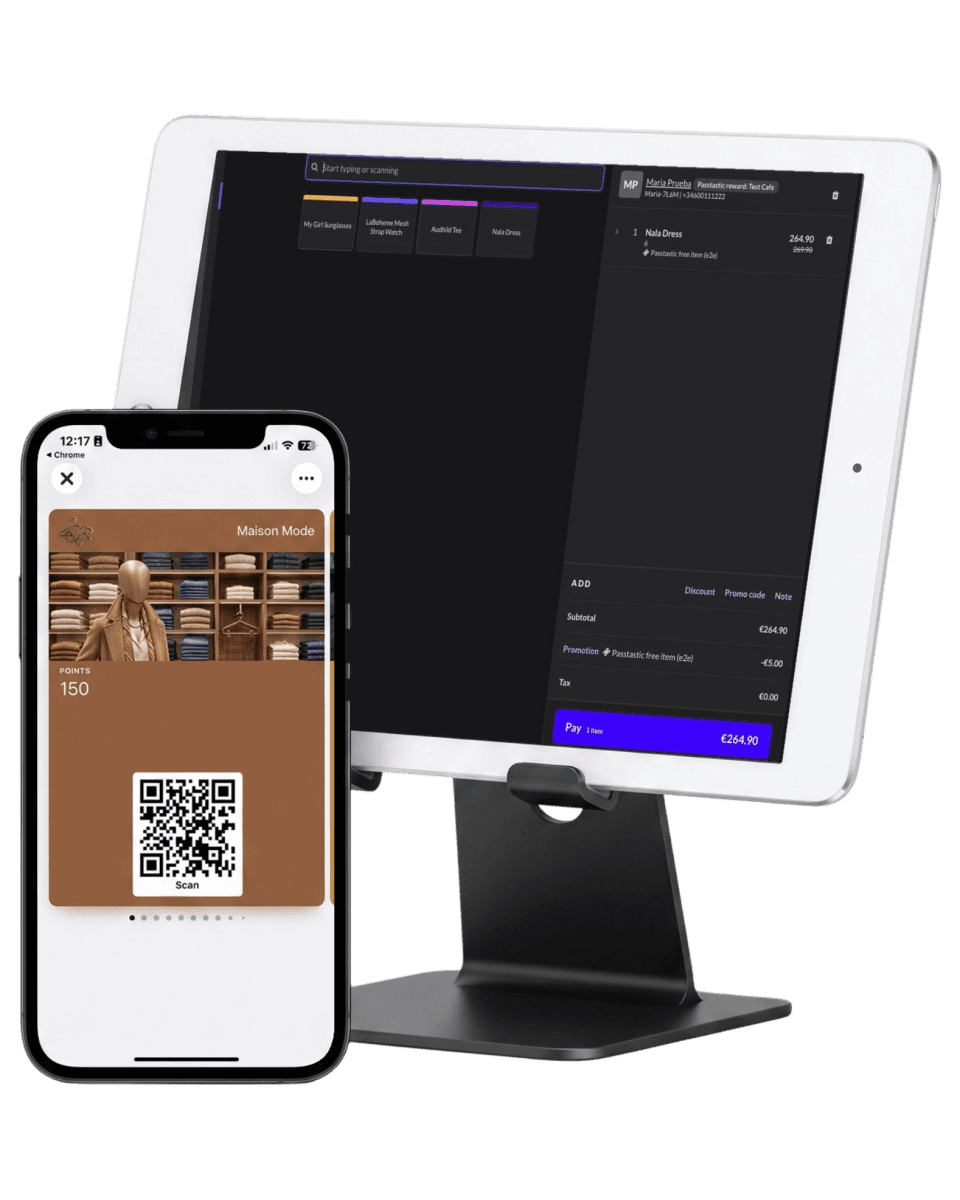
Passtastic works with Lightspeed Retail X-Series: when a sale carries a customer, the stamps or points land on their loyalty card in their wallet within about a minute. Connect with one click, no developers.
Already a customer? Connect Lightspeed opens your dashboard.
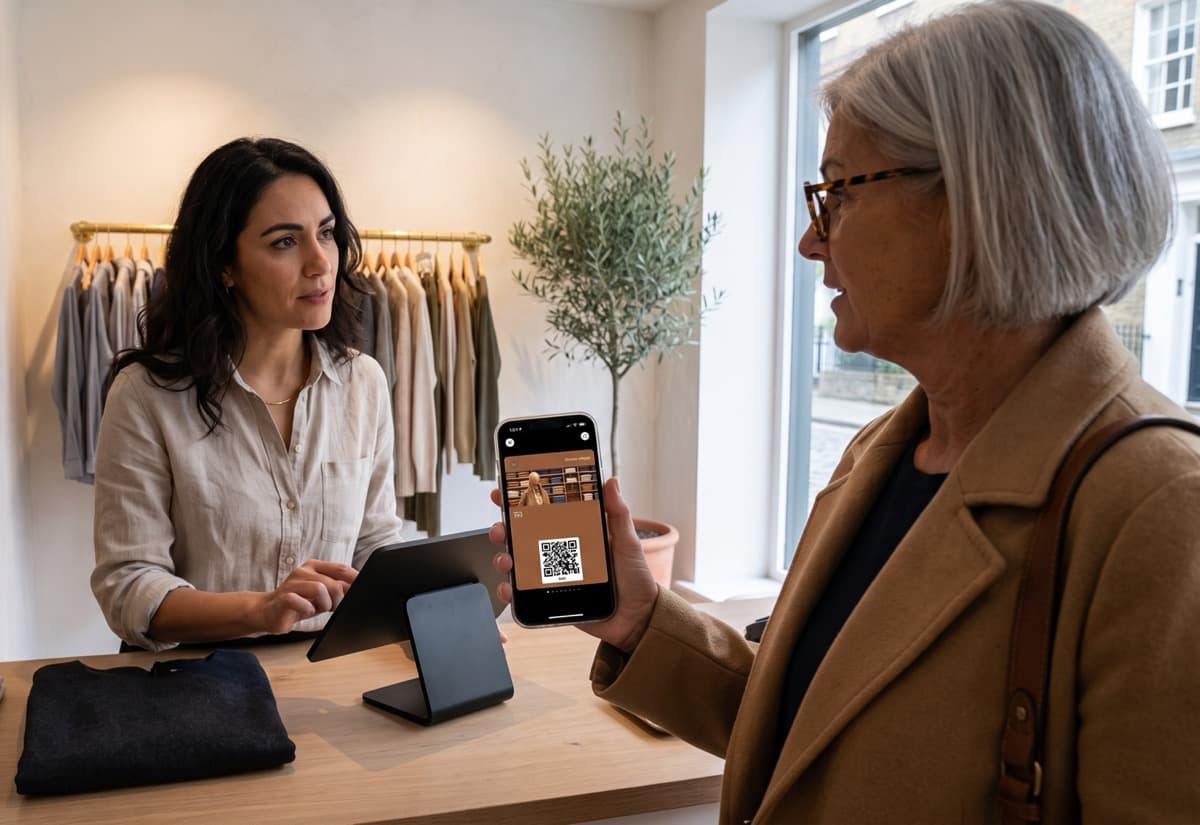










What happens when they pay.
The register stays the same
Your staff close the sale in Lightspeed's Sell screen the way they already do. The only addition is adding the customer to the sale.
Their card updates in about a minute
The wallet card on their phone shows the new stamp or points balance shortly after the sale closes, so nobody has to ask what they're owed.
Rewards are ready at the register
Set the reward once on your card: a percentage for a level, a free product for points, a free item on a full stamp card. When the customer asks, your staff type the reward's short code and the register does the rest.
Your team keeps the flow they already have.
Earning stays inside Lightspeed's Sell screen: add the customer, take payment. Nothing new to learn at the register.
Add the customer to the sale
Search by name or phone and add the customer in Lightspeed's Sell screen before you close the sale. A walk-in sale with no customer does not earn.
The stamp or points post within a minute
Stamp cards earn one stamp per paid sale. Points and level cards earn by the rule you set on the card, for example one point per euro. A level's percentage comes off by itself for everyone in that level.
The reward is used when the customer asks
María has 260 points and asks for the poster. Your cashier taps Promo code, types SPINDLE-POSTER, and the poster comes off the sale; 200 points leave her card a minute later. A reward never applies by itself, and only one Passtastic reward applies per sale. The Passtastic Scanner app still works too, if your team would rather confirm a reward with a quick scan.
Set up in 3 steps.
Connect your Lightspeed account
Click Connect Lightspeed, log into Lightspeed and approve access. One published loyalty card (points, level or stamp) is all you need first.
Choose which cards earn
Turn on your points, level and stamp cards. For points and level cards, set how much each sale earns. Stamp cards earn one stamp per paid sale, nothing to set.
Save your rewards to Lightspeed
Your rewards already live on your card. Click Save to Lightspeed once, reopen the Sell screen on each register, and from the next sale your team adds the customer to the sale. That is the whole change at the register.
The concerns we hear most.
Is it available now?
Yes. Lightspeed Retail X-Series is live today, on every plan, connect it from your dashboard in a few minutes.
Do I need Lightspeed's own loyalty add-on?
No. Passtastic runs independently of any Lightspeed loyalty features. You only need a Lightspeed Retail X-Series account and one published loyalty card.
How fast does the card update after a sale?
Passtastic checks Lightspeed for new sales on a short interval, so the stamp or points usually land on the wallet card within about a minute of the sale closing.
What does my team actually have to do?
Add the customer to the sale in the Sell screen, the way they already do for receipts or history. When the customer asks for a reward, your staff type its short code under Promo code. A level's percentage needs nothing at all; it comes off by itself.
Lightspeed and Passtastic, answered.
Which card types work with Lightspeed?+
Points, level and stamp cards, including cards that start with a welcome coupon: staff give the welcome gift at the register with its code. For points and level cards you set how much each sale earns; stamp cards earn one stamp per paid sale. Other coupons, bundles and memberships can't earn from Lightspeed sales.
What can I give at the register?+
Three kinds of things, all set on your card in Passtastic. A percentage per level on a level card (Bronze 5%, Gold 15%), applied by itself to every customer in that level. Rewards on a points card: money off, or a free product picked from your Lightspeed list, so a free tee is free in every size and colour. And the reward on a full stamp card, the same two options. Each reward gets a short code; staff type it when the customer asks.
Which Lightspeed product does this connect to?+
Lightspeed Retail X-Series, the product with the web-based Sell screen. R-Series and K-Series aren't supported.
What happens if a sale is voided?+
A voided sale takes the stamps or points back, and if the sale used a reward, the reward comes back on the card. If only part of a sale is returned, the customer keeps the reward and only the points for the returned items are taken back.
How does a customer use a reward at the register?+
They ask. Your staff type the card's short code under Promo code, with the customer on the sale, and Lightspeed applies the discount. A full card stays ready until the customer uses it, unless you've set points to expire or run a campaign that resets balances, and the free item itself doesn't earn a stamp, though anything else paid on the same ticket does.
Related integrations.

Square POS
Customers earn when your staff add them to the sale in Square; rewards live on your card and show up in Square by name. Works on plain Square, no loyalty add-on.

Holded TPV
Your members appear in your Holded contacts on their own, and every ticket with a customer earns stamps or points.
Web sign-up
Wallet buttons or a full form on WordPress, Squarespace, Wix, Shopify, or any site that accepts HTML.


Automatic rewards
from every Lightspeed sale.
Start your free 14-day trial, connect Lightspeed in a few minutes, and see the first stamp or points post from a real sale.
Square is a trademark of Block, Inc. Zapier, Make, Holded, Lightspeed, Odoo, IdoSell and Shoper are trademarks of their respective owners. Passtastic is not affiliated with them unless stated.