

Test Your Connection
Send a test event
1. Go back to the Integrations page in Passtastic.
2. Click Send test.
Passtastic sends a sample event to Zapier with example data. This lets you check that everything is connected before a real customer triggers it.
Check Zapier received it
1. Switch to your Zapier tab.
2. Click Find new records. Zapier should find the test event Passtastic just sent.
3. You'll see sample data like the customer's name, email, card type, and which event fired. This is what you'll use to set up your action in the next step.
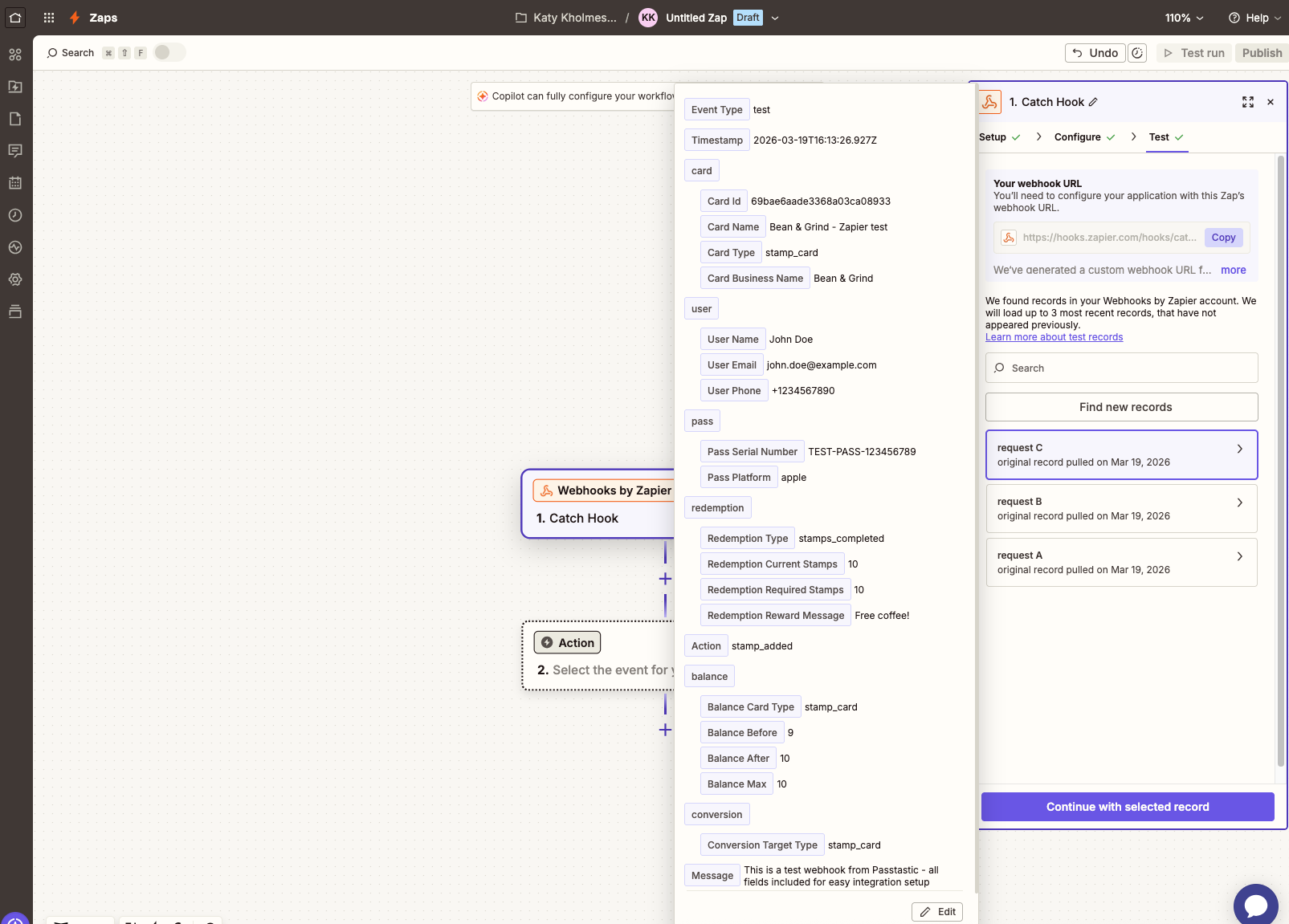
4. Click Continue with selected record.
If Zapier says "We couldn't find a request" — go back to Passtastic, make sure the toggle is on and the webhook URL is correct, then click Send test again.
What the data looks like
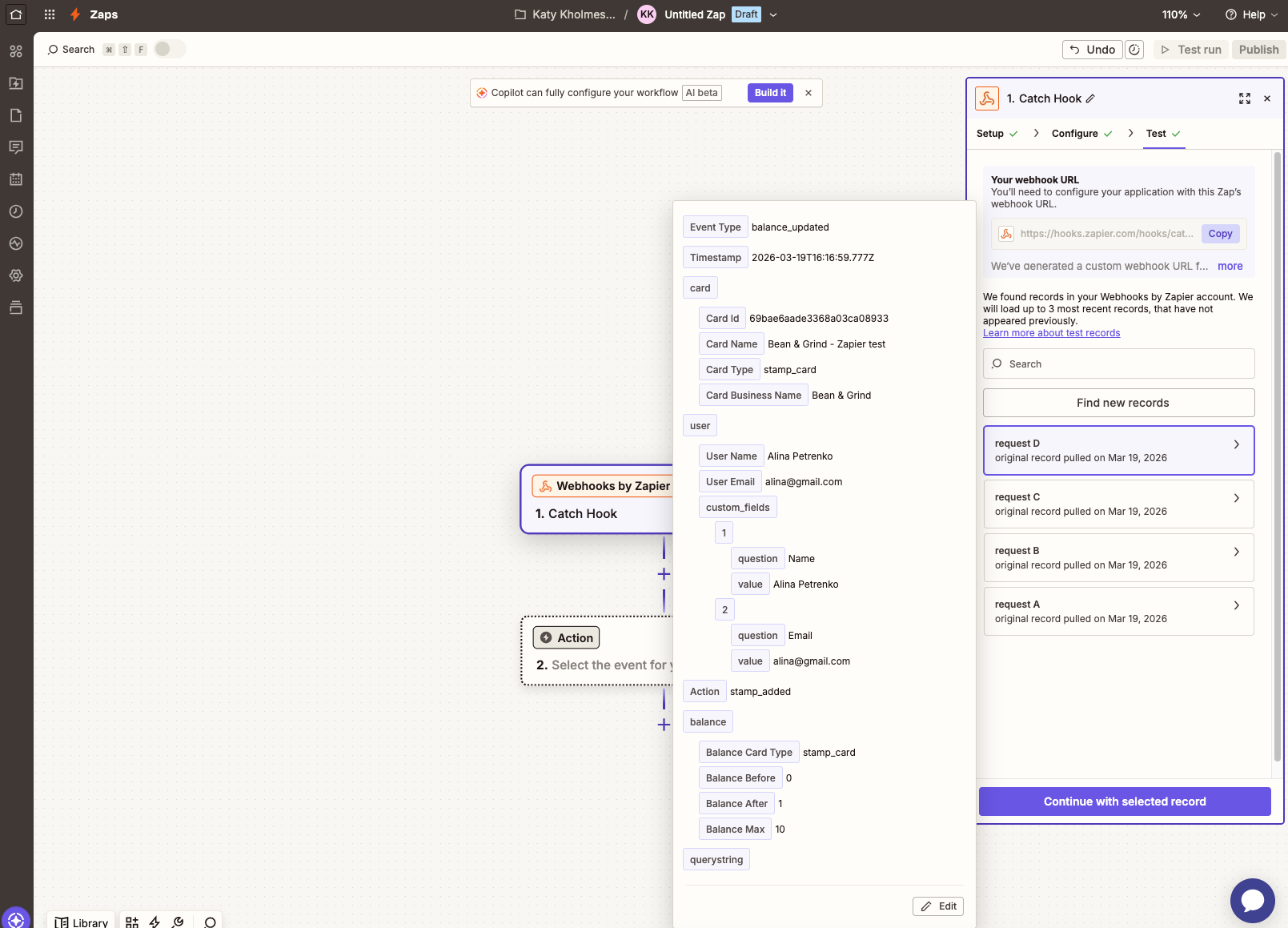
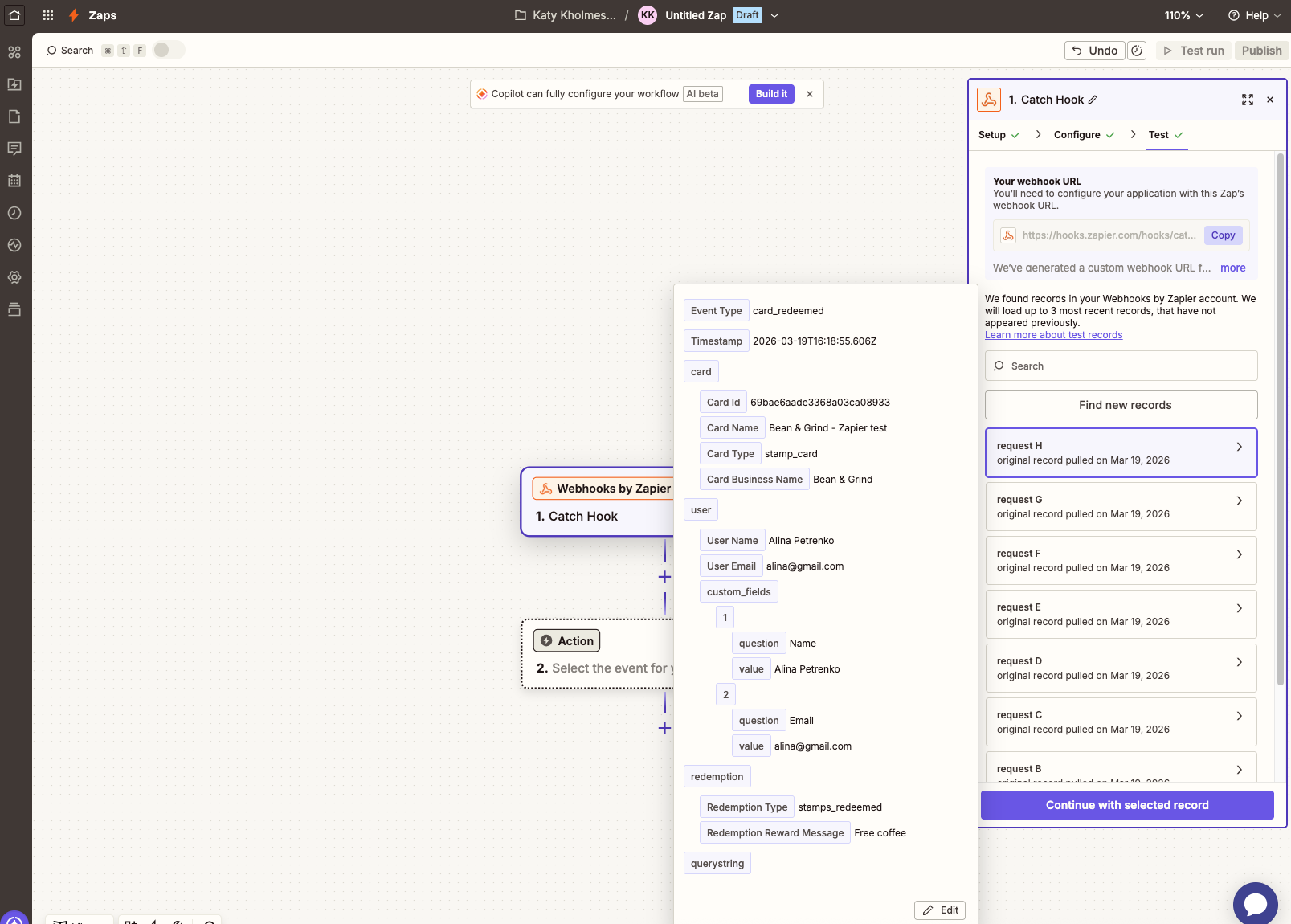
Here are examples of the data Zapier receives for different events:
Balance Updated — shows the customer's current stamps or points, balance before and after, and which card triggered it.
Card Redeemed — shows when a customer has redeemed their reward.
Every test event also includes email_marketing, sms_marketing and member_id with example values, so you can map them in the next step.