

Welcome Gift for Coupon → Loyalty Cards
Some programs start with a coupon — "Get 20% off your first visit" — and then automatically convert that coupon into a stamp or points card after the customer redeems it. The welcome coupon is the gift new customers receive when they first join.
By default, every new customer who scans your sign-up link gets the welcome coupon straight away. You can turn that off.
Where to find the toggle
1. Open your program from the Programs page. 2. Click Edit card (or go to the Setup tab). 3. In the card editor, scroll to the Welcome coupon section. 4. Look for the toggle Offer the welcome gift to new customers.
What the toggle does
Toggle ON (default): Every new customer who joins gets the welcome coupon immediately. After they redeem it, their card upgrades to the loyalty card automatically.
Toggle OFF: New customers skip the coupon and join straight as loyalty members — no welcome coupon. Their loyalty card is ready to collect stamps or points from the very first visit.
Use this when you've finished a launch promotion and want new customers to simply join your loyalty program without the introductory offer.
Existing customers are not affected
Turning the toggle off does not remove the welcome coupon from customers who already have it. They keep their coupon until it expires or they redeem it — just as if you had never changed the setting. This is sometimes called "grandfathering."
So you can safely turn the toggle off mid-program: customers in flight are unaffected, and new customers join directly as loyalty members.
Controlling which text shows on each card phase
When a card can exist as both a coupon and a loyalty card, each back-of-card text field has a Visible on selector. You'll see three options:
- Coupon — the field shows only while the card is in coupon phase.
- Loyalty — the field shows only after the card has converted to the loyalty phase.
- Both — the field shows in both phases.
This lets you show a "Welcome! Use this 20% off coupon" note to new customers while hiding it once they've converted, or display your loyalty terms on the loyalty card only.
To change a field's visibility, open the card editor, scroll to Back of card, and change the Visible on dropdown next to that field.
Giving the welcome gift at a Square or Lightspeed register
If Square or Lightspeed is connected, the Welcome coupon section has one more choice: At the counter. It decides what the register gives for the welcome gift: Money off or a Free product from your register's item list. Leave it on Staff handle it to keep giving the gift with the Passtastic Scanner app.
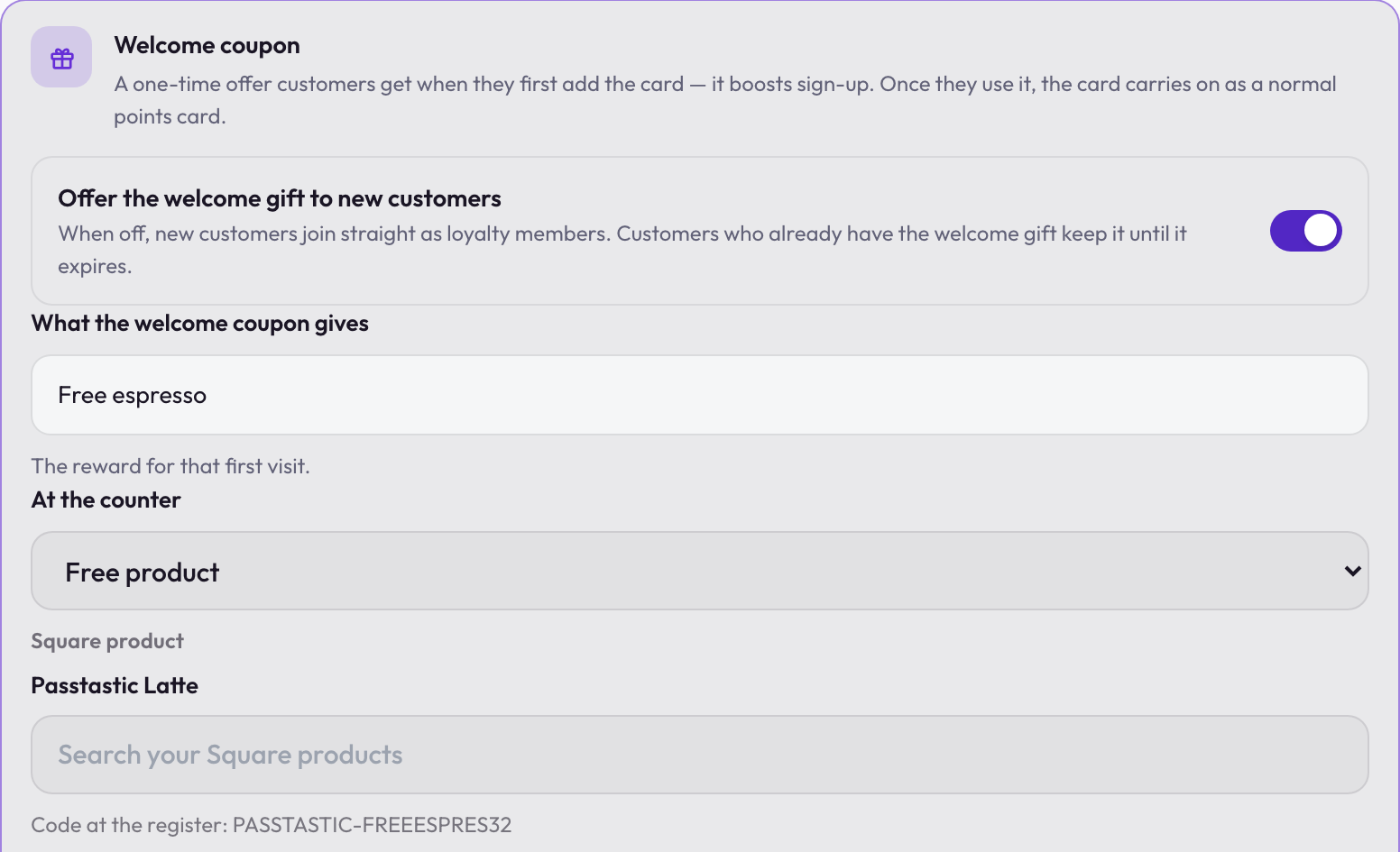
The free product has to be an item you already sell in your register — Square or Lightspeed. If it's new, add it there first — it then appears in the search. Passtastic doesn't create or change your items: it adds a discount in Square, or a promotion in Lightspeed, that makes that one item free. If you later delete or change the item in your register, pick it again and save.
After you choose, open the card's page under Settings → Integrations and press Save to Square or Save to Lightspeed. On Square, if the card isn't earning from Square yet, the button reads Save & start earning instead — pressing it sends the gift too. Staff then give the gift from the register, the customer earns on anything else they pay for, and the coupon turns into the loyalty card. A sale the gift makes completely free earns nothing. Step by step: Connect Square POS and Connect Lightspeed POS.